

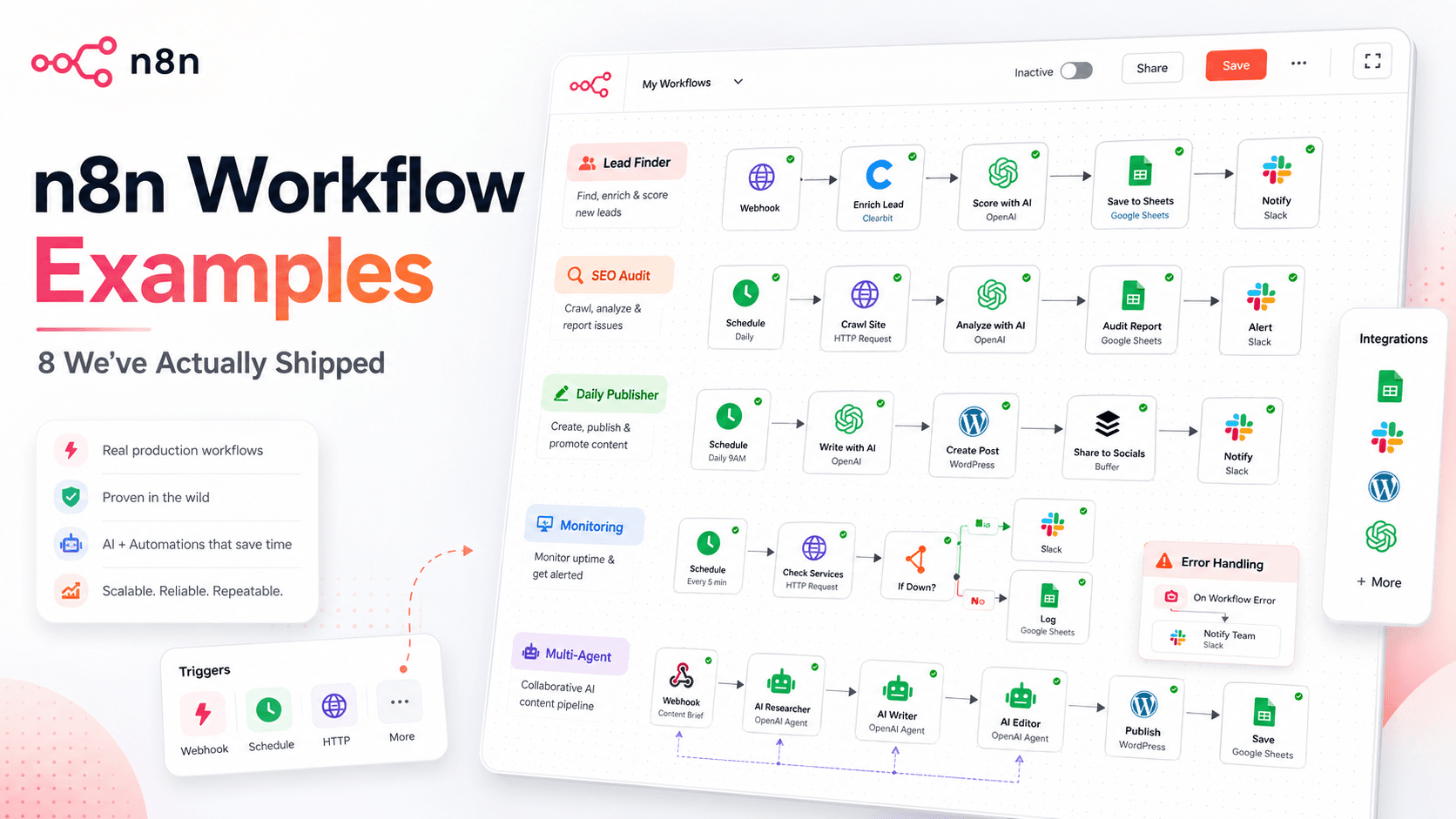
Most “n8n workflow examples” posts are screenshots of the template gallery — flows nobody has run past the demo. These are different: eight workflows we actually operate, the exact tools wired into each, and (further down) the parts that broke once real data hit them.
What do n8n workflow examples look like? Common n8n workflow examples include lead enrichment pipelines, AI-powered content publishers, scheduled SEO reporting, webhook lead qualifiers, and multi-agent writing systems. Each one combines a trigger node, one or more action nodes, and often an AI agent node that makes a decision in the middle.
A disclosure up front: these are from our own internal builds and client work, not the public n8n template library. Screenshots are from our accounts. A few n8n links below are affiliate links — sign up through them and we may earn a commission at no extra cost to you.
What an n8n workflow is actually made of
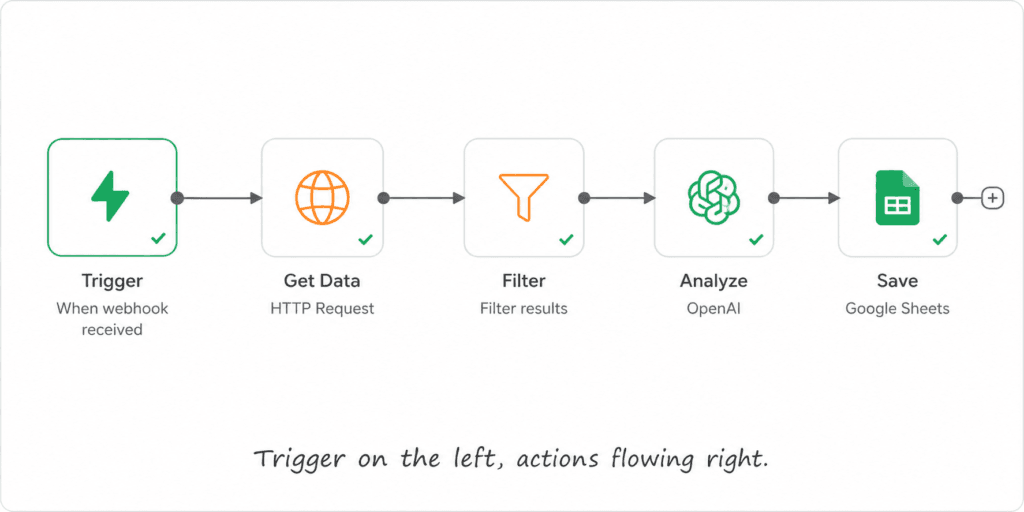
Every example below is the same three parts. A trigger starts it (a schedule, a webhook, or a call from another workflow). One or more action nodes do the work — call an API, transform data in a Code node, write to a destination. Optionally an AI node makes a judgment in the middle (score this lead, write this draft). n8n connects to 400+ apps — Slack, HubSpot, Notion, Zendesk, GitHub, Google Sheets, OpenAI, Claude — so the “destination” is whatever system you already live in. If you want the concept first, see what workflow automation actually means and our n8n automation guide.
Lead & sales workflows
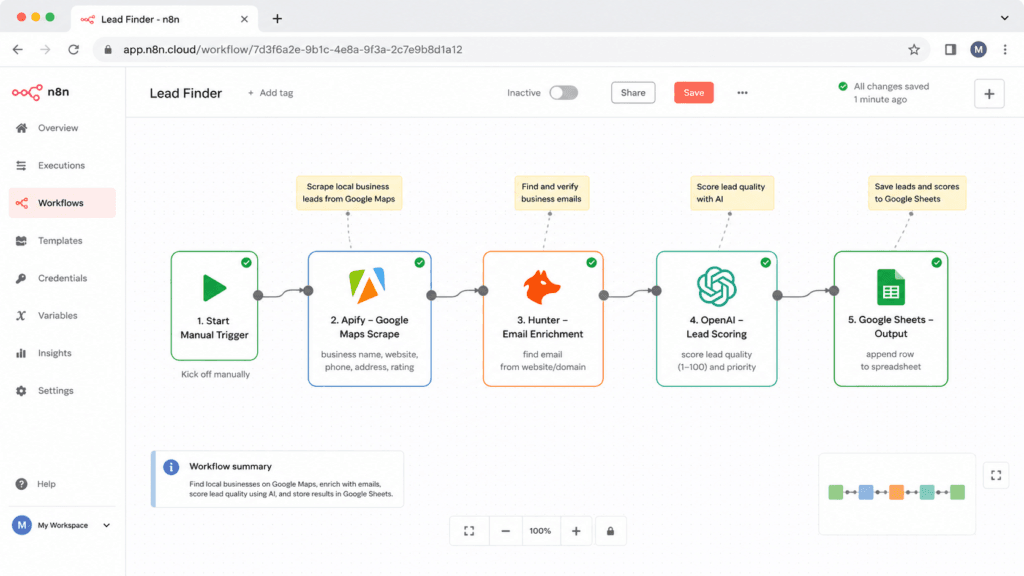
1. Local-business lead finder
- Trigger: Schedule (daily)
- Nodes/tools: Apify (Google Maps scraper) → Hunter.io → OpenAI → Google Sheets · 15 nodes
- What it does: Scrapes local businesses for a niche + city, finds an email, has the AI score each lead 0–100 and write a personalized opening line, then logs everything to a ranked sheet.
- Where it’s useful: Replaces an afternoon of manual prospecting. Full build: lead generation automation in n8n.
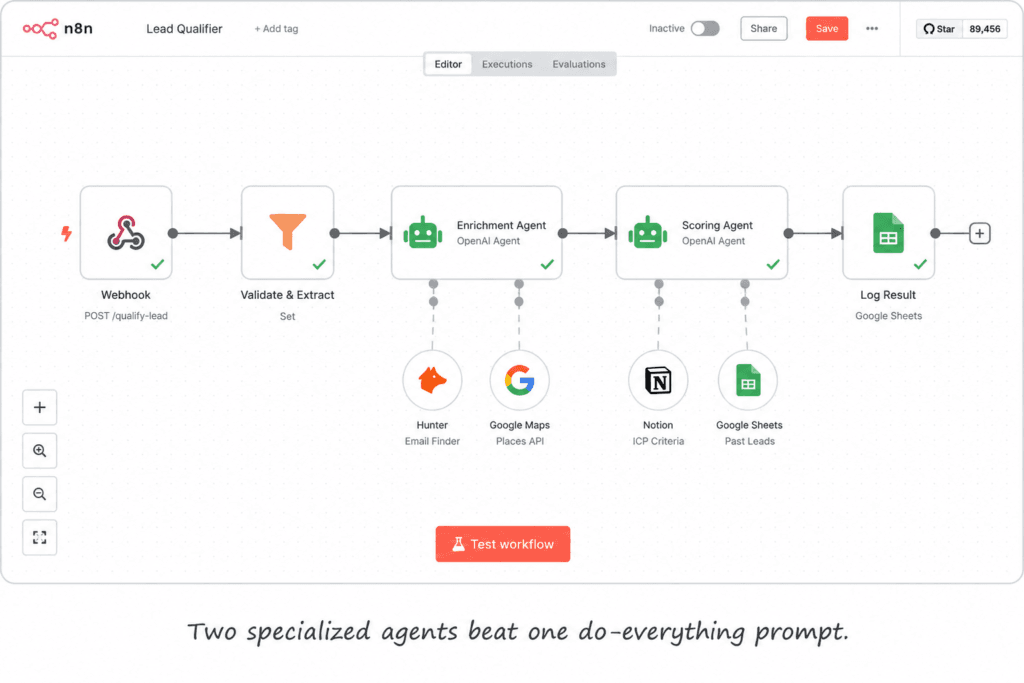
2. Inbound lead qualifier (webhook)
- Trigger: Webhook (fires the instant a form is submitted) → responds immediately
- Nodes/tools: Webhook → Set/Code (normalize + clean) → two chained LangChain AI Agents (enrichment & intent, then scoring & qualification) on OpenAI · 12 nodes
- What it does: Catches a form lead, normalizes it, runs one agent to enrich and read intent, a second to score and qualify, and parses a clean result.
- Where it’s useful: Speed-to-lead — qualified and routed in seconds, not whenever someone checks the inbox.
Content & reporting ops
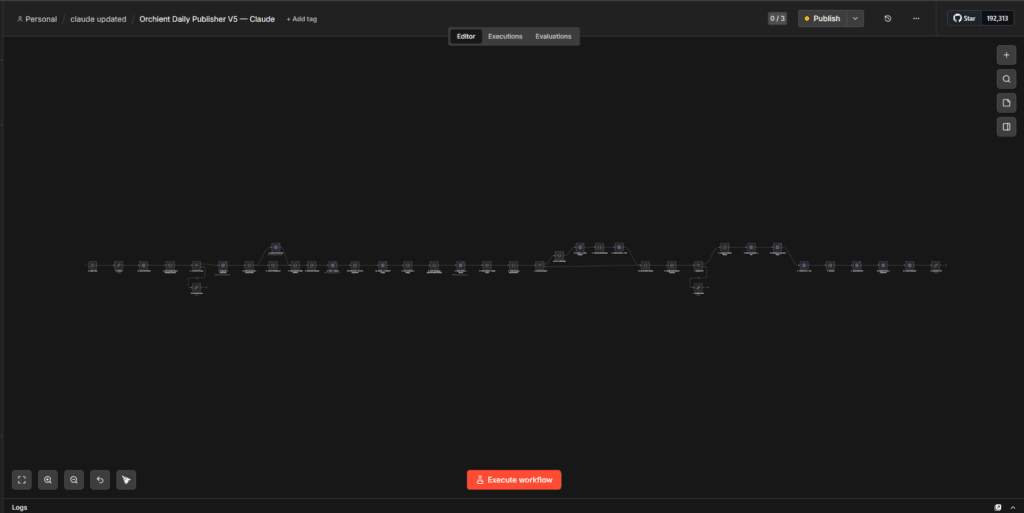
3. Daily AI blog publisher
- Trigger: Schedule (Daily 9 AM)
- Nodes/tools: reads a plan from Google Sheets → Perplexity (research) → Claude (writes + SEO) → Gemini (featured + inline images) → quality gate (Code/IF) → WordPress REST API → Rank Math SEO · 38 nodes
- What it does: Pulls the day’s topic from a plan sheet, researches it, drafts and SEO-optimizes with Claude, generates images with Gemini, runs a links-and-content quality gate, and publishes to WordPress with Rank Math meta.
- Where it’s useful: Keeps a content cadence alive without a daily writing sprint — a human still reviews before it goes live.
🖼️ [SCREENSHOT — daily publisher] · Alt: . · Caption:
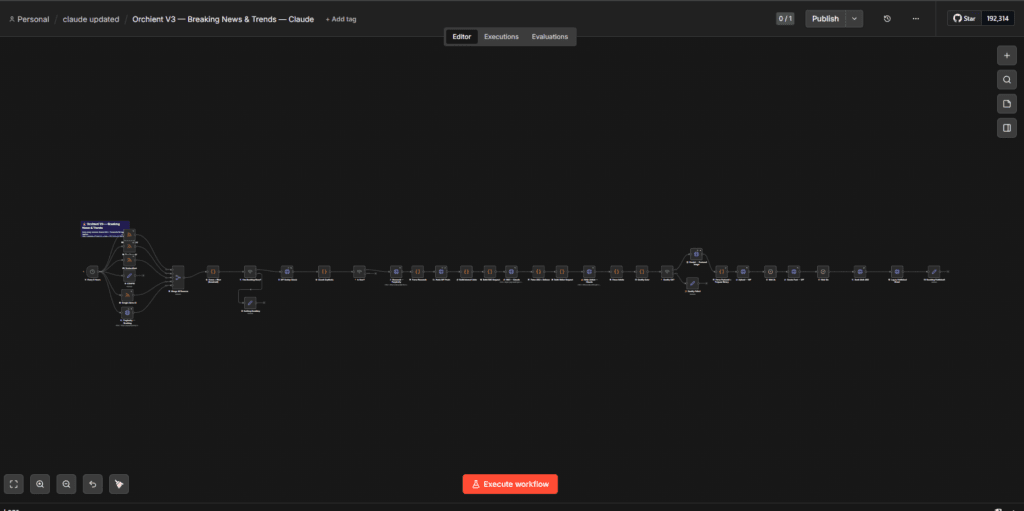
4. Content calendar + keyword research
- Trigger: Schedule (Daily 7 AM)
- Nodes/tools: ~10 RSS feeds (TechCrunch, The Verge, Google News, n8n/Zapier/Make/Ahrefs blogs) → Merge → Code (dedupe + relevance score) → Perplexity keyword research → GPT-4o strategist → Google Sheets → Execute Workflow (hands off to the publisher) · 39 nodes
- What it does: Pulls industry news from many feeds, dedupes and scores it, filters anything already planned, runs keyword research, and writes a prioritized calendar to a sheet.
- Where it’s useful: Turns “what do we write next?” into a maintained, ranked list instead of a guess.
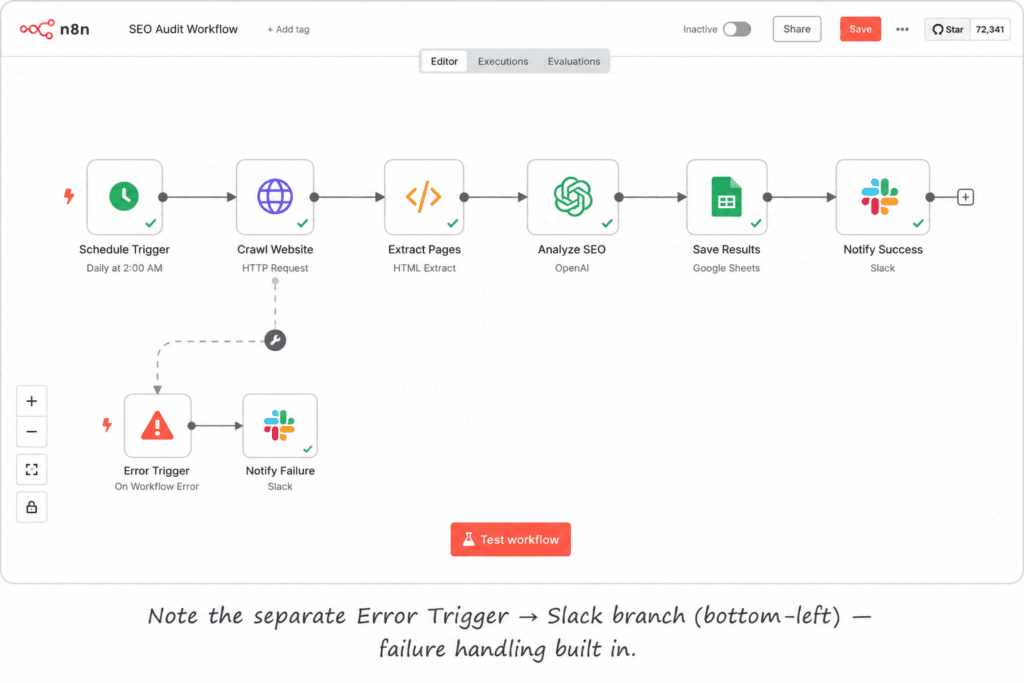
5. Weekly technical SEO audit
- Trigger: Schedule (weekly) + a separate Error Trigger
- Nodes/tools: Screaming Frog crawl (HTTP) → Wait/poll → Code (transform) → OpenAI (analysis) → Google Sheets → IF → Slack alert on critical issues · 13 nodes
- What it does: Crawls the site weekly, has the AI summarize technical issues, saves a dated report to Sheets, and pings Slack only when something critical breaks.
- Where it’s useful: Catches regressions (broken meta, slow pages) before a client does — and the Error Trigger means the audit tells you if it fails.
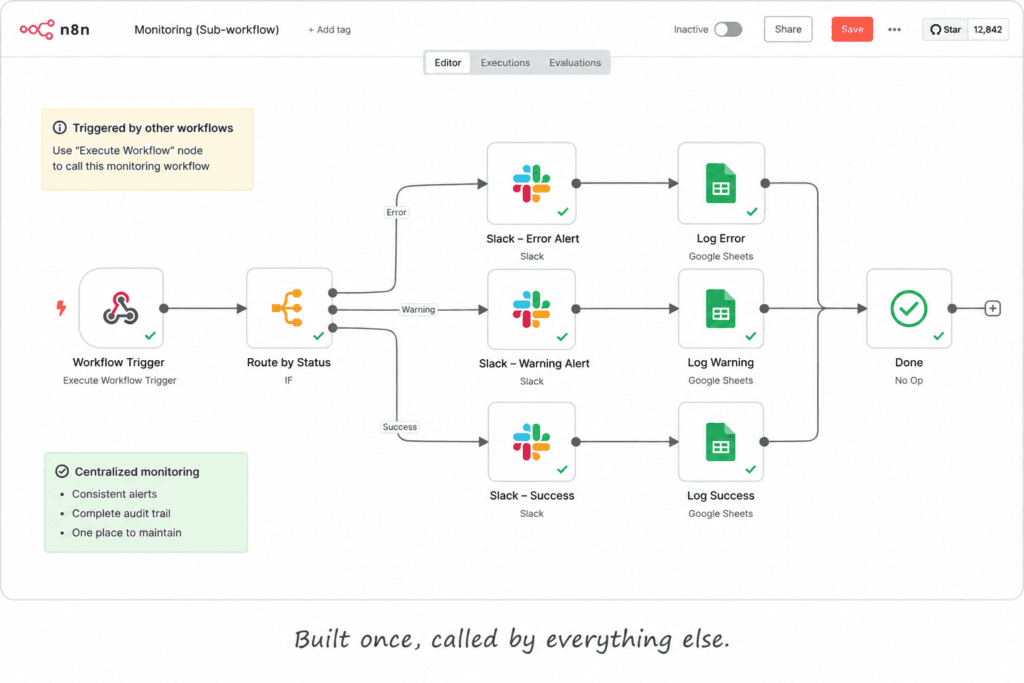
6. Monitoring & alerting (a reusable sub-workflow)
- Trigger: Execute Workflow Trigger (called by your other workflows)
- Nodes/tools: Code (prepare event) → IF (alert level) → Slack (error vs. log) → Google Sheets (log) → Code (metrics) · 9 nodes
- What it does: A central workflow your other flows call to log an event, route a Slack alert by severity, and record metrics.
- Where it’s useful: This is the workflow that watches the workflows — write the alerting logic once, reuse it everywhere.
AI agent workflows
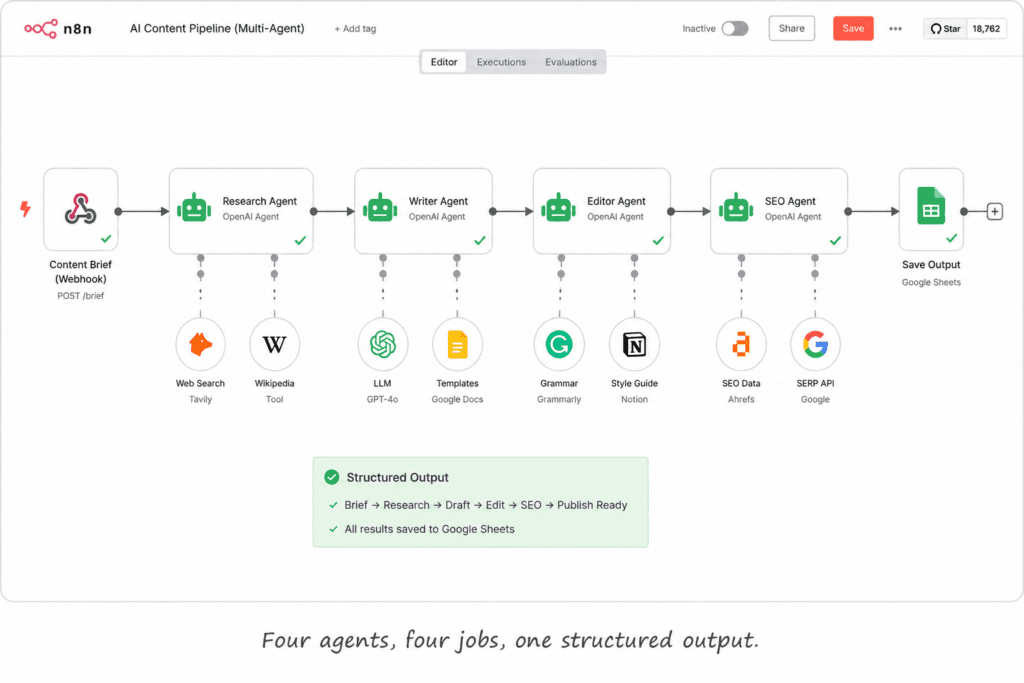
7. Multi-agent content generator
- Trigger: Execute Workflow Trigger (sub-workflow)
- Nodes/tools: four chained LangChain Agents — Research → Writer → Editor → SEO — each on its own OpenAI model, with a Structured Output Parser · 15 nodes
- What it does: Hands a topic through four specialists instead of one prompt doing everything, then formats a structured result.
- Where it’s useful: Higher-quality output because each agent has exactly one job. More on this pattern: build an AI agent in n8n.
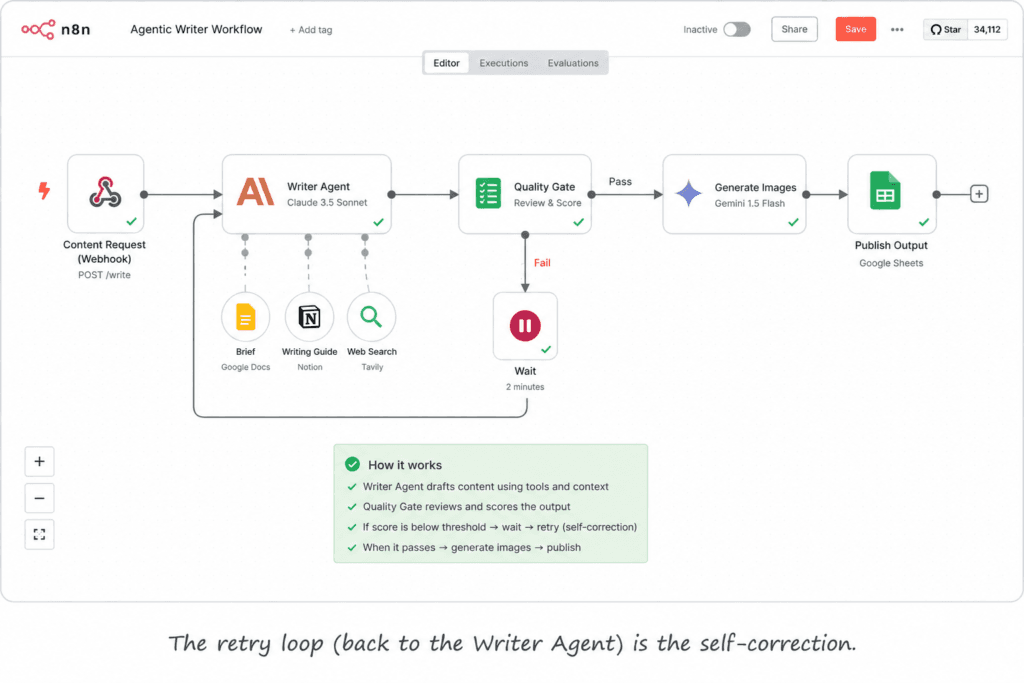
8. Agentic writer with images (Claude + Gemini)
- Trigger: Execute Workflow Trigger (called by an upstream agent)
- Nodes/tools: Writer Agent on Claude Sonnet 4.6 + a web-research tool → quality gate (Code/IF) with a retry loop → Gemini image generation → reassemble → Execute Workflow (hands to the publisher) · 14 nodes
- What it does: An agent with a research tool drafts the piece, a quality gate sends it back for a retry if it falls short, Gemini makes the images, then it hands off to the publisher.
- Where it’s useful: Tool-using agent with self-correction. Point the same pattern at your docs to build a RAG chatbot.
What actually breaks when you run these in production
The demo always works. Here’s what bit us once real data flowed, all from the lead finder above:
- The AI confidently lied about facts. An early prompt hardcoded the city, so the OpenAI node described New York businesses as being in “Chicago” — valid JSON, completely wrong. Fix: every fact comes from the data row; the model only judges and phrases.
- A hardcoded secret in an HTTP Request node. The Hunter.io key was pasted straight into the node’s URL — a leaked credential living in the workflow JSON forever. Fix: move it to a credential.
- One bad row killed the whole run. With no error handling, a single malformed record stopped the batch — 24 good leads lost over 1 bad one. Fix:
retryOnFail+onError: continueRegularOutputso a failure skips that item, not the run.
That last one is the difference between a toy and a system.
Design habits that decide if you can still maintain these in six months
The eight above are maintainable for specific reasons — and we learned each the hard way:
- Decompose into sub-workflows. One of our publishers grew to 75 nodes on a single canvas — impossible to debug. The maintainable flows above do the opposite: Monitoring (#6) and Multi-Agent (#7) are called by other workflows via the Execute Workflow node, so a fix happens in one place.
- Error-branch discipline. The SEO audit (#5) has a dedicated Error Trigger → Slack branch; #6 centralizes alerting. A silent failure you find a week later costs more than the workflow ever saved.
- Build a quality gate, not blind trust. The publisher (#3) and the agentic writer (#8) both gate output and retry rather than auto-shipping whatever the model returned.
- Treat hardcoded values as debt. Keys, sheet IDs, and city names baked into nodes are exactly what breaks quietly when something changes — use credentials and a single config node.
If you’re choosing where to host all this, self-hosting n8n on a VPS runs about $6/mo versus n8n Cloud Starter (~$20/mo) — see n8n vs Zapier for the cost-at-scale math.
The takeaway
n8n workflows aren’t magic — they’re a trigger, a few action nodes, and the discipline to handle what breaks. Every one above started as a single node solving one annoyance and grew from there — spin up n8n and you can build the first one tonight. The hardest part isn’t building them; it’s picking which manual process to automate first.
Want more breakdowns like these — real workflows, real failure modes? Join the list and we’ll send the next one.