
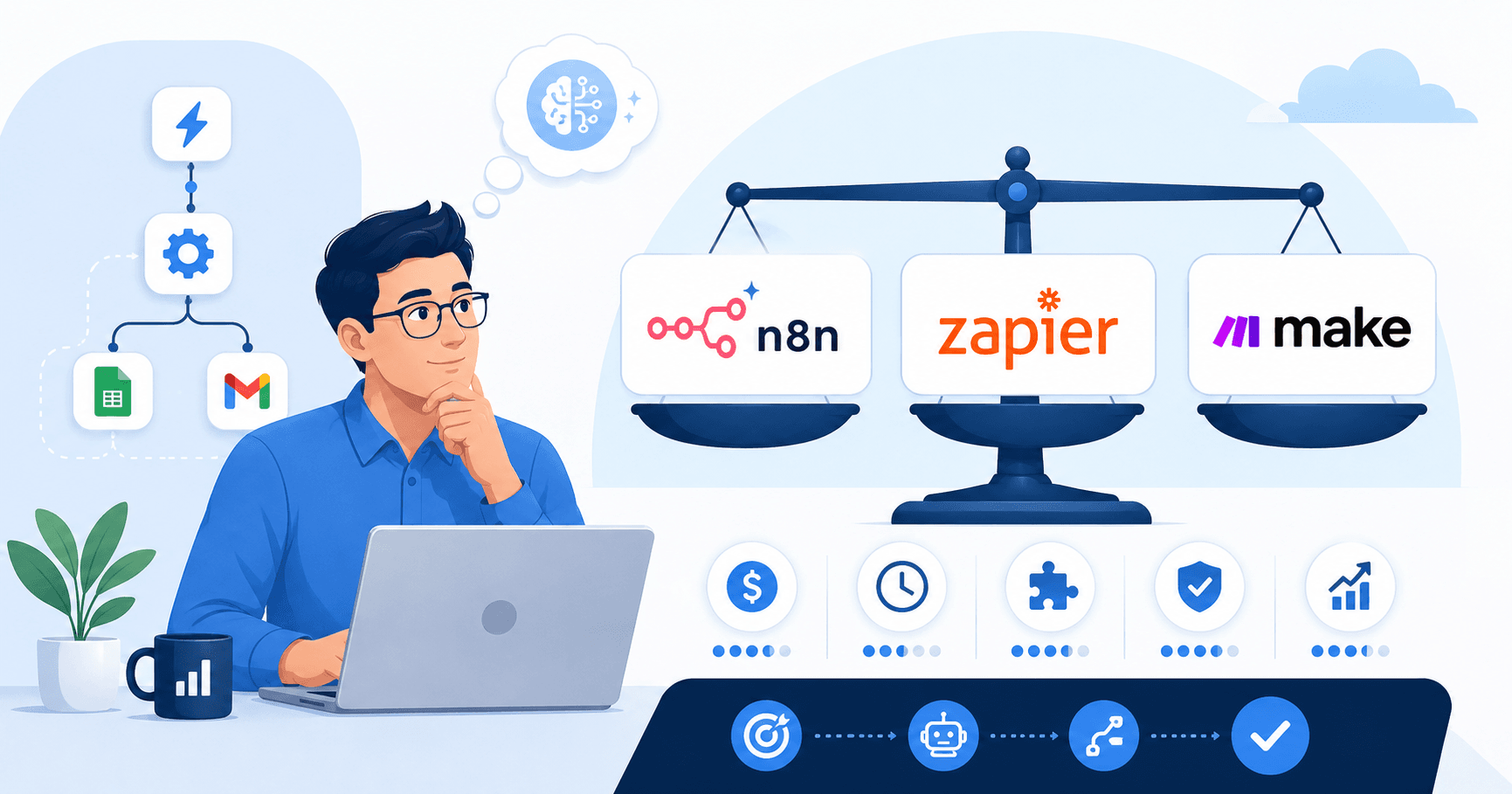
If you’ve spent an evening watching “Top 10 AI Automation Tools” videos and come away more confused, you’re not doing it wrong. Every tool claims it does everything, every reviewer has an affiliate link, and “AI” is now stapled onto products that were plain SaaS six months ago.
Here’s the short version, and it’s the opposite of how most people approach it: the tool is the last decision you make, not the first.
We build automations for small businesses for a living, and we run our own automated content and lead-gen systems on the side — so we’ve chosen these tools from both chairs: as the people building the automation, and as the people paying the bill when it runs every day. This is the framework we actually use.
How do I know which AI automation tool is right for my business? Don’t start with the tool. Start with the process, then run it through five filters — process clarity, volume/cost, who maintains it, integration reality, and reversibility. The right tool is the simplest one that survives all five for your task and your volume. For most businesses that’s Zapier to start and n8n once you scale; AI belongs inside the workflow, not as a standalone “AI tool.”
Not sure which one fits your stack? That’s exactly what we do in a free 30-minute automation audit — you describe the task, we send back a written recommendation. No pitch.
Disclosure: Orchient builds client automations (mostly on n8n), and some links here are affiliate links — we may earn a commission at no cost to you. We name the honest tradeoffs even when the answer isn’t the tool we build on.
The mistake almost everyone makes
Most people pick a tool first and then go hunting for a problem to justify it. They saw someone build something slick in Make or n8n, and now they’re bending their business around the software.
That’s backwards, and it leads to the single most expensive mistake we see: automating a broken process. If your lead follow-up is chaotic when a human does it, automating it just gives you chaos at scale — faster, and now harder to debug. Automating a mess just gives you a faster mess.
So before you compare a single tool, get the order of operations right.
The 5-filter framework we use to choose any automation tool
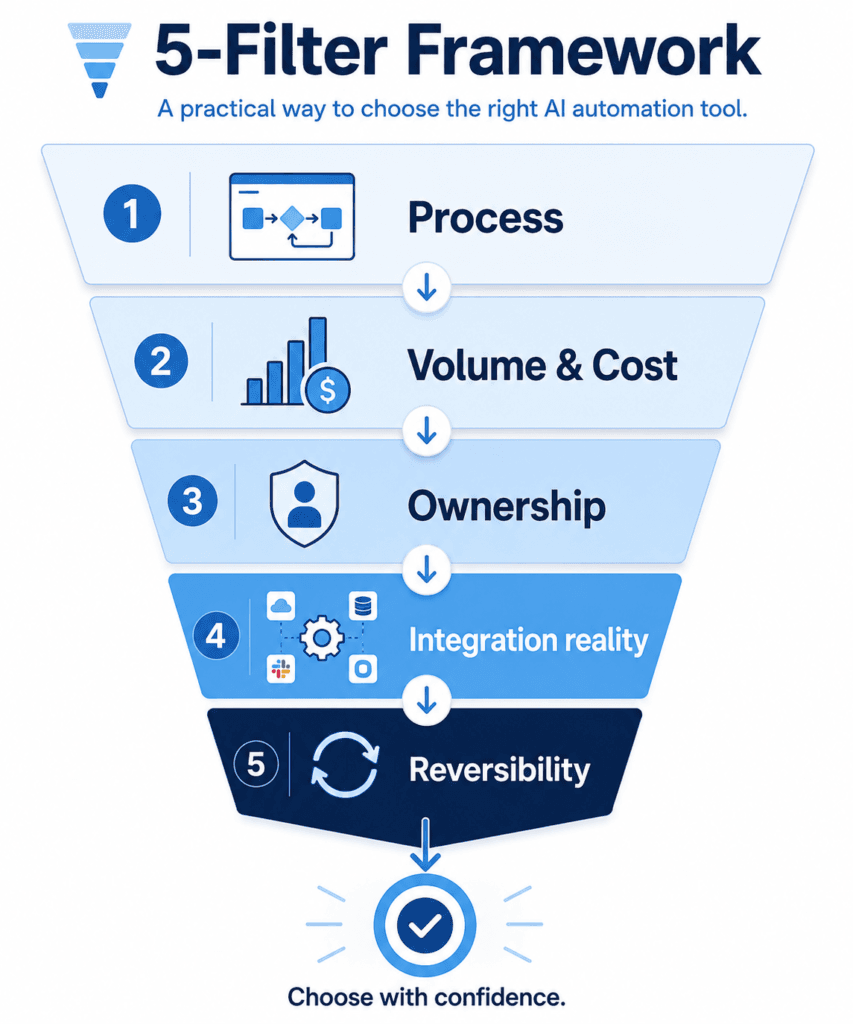
Whenever a client asks which tool to use — or whenever we’re spending our own money on one of our sites — we run the decision through five filters, in order. The first hard “no” eliminates the tool. You’ll usually have your answer before filter five.
Filter 1 — Process before product
Write down the exact steps a human takes today, in order, including the messy “if this, then check with Karen” parts. If you can’t describe it as a clear sequence, you’re not ready for a tool — you’re ready for a whiteboard. This filter alone disqualifies half of all automation projects, and it should.
Filter 2 — Volume and the real cost-per-run
Here’s the part tutorials skip: most automation tools price by usage, and usage is where the bill quietly explodes. A “$20/month” tool can cost $200 once you’re running thousands of tasks. Do the math first:
- How many times will this run per month?
- What’s the cost per run at that volume — not the headline price?
- Does the price scale linearly with growth, or punish success?
This is the filter that decided a tool choice on one of our own content sites — more on that below.
Filter 3 — Who owns this when it breaks?
It will break. An API changes, a login expires, a site moves a button. The question is who fixes it at 9pm.
- If a non-technical owner has to maintain it → lean to the simplest possible tool (Zapier’s “when this, do that” is genuinely fine; pay extra for simplicity you can own).
- If you or someone technical owns it → a flexible tool (n8n, Make) pays off, because you won’t hit a wall.
Power you can’t maintain is just risk. We’ve watched businesses buy the most powerful platform on the market and never touch it again because no one could safely change anything.
Filter 4 — The integration reality check
Don’t ask “does this tool support my apps?” Ask “does it support the specific actions I need, on my specific plan?” The word “integration” hides a lot of sins — a tool can technically “connect” to your CRM and still not do the one thing you need. List every app the workflow touches, then verify the exact triggers and actions exist before you pay.
Filter 5 — Reversibility
How hard is it to leave? Can you export your workflows and data, or are you locked in? We bias hard toward tools we can own and move — it’s why n8n is our default — but even when we pick a hosted tool for a client, we make sure we’re renting, not getting married.
So which tool should you actually use?
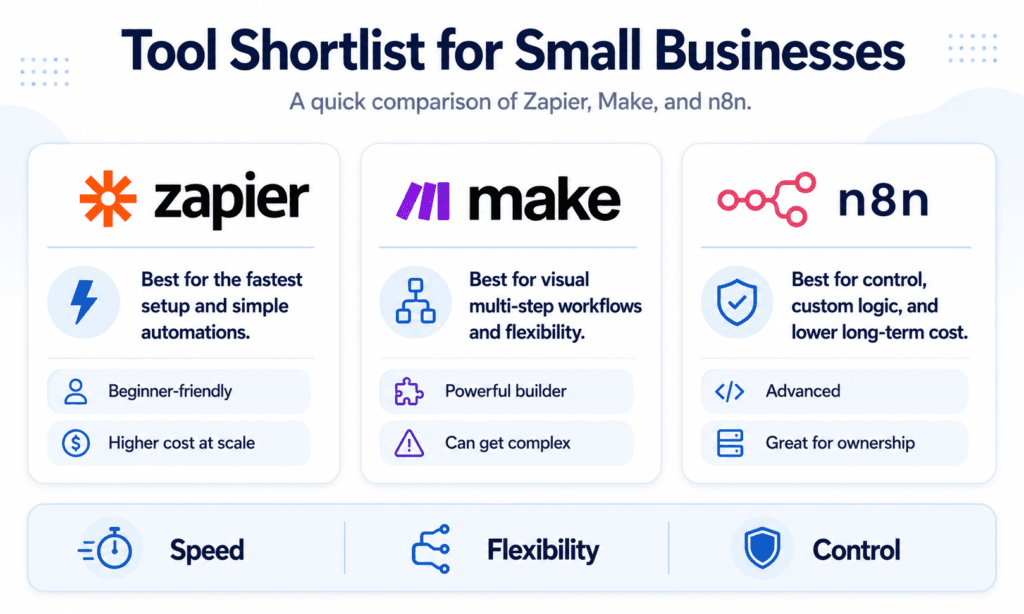
After the filters, here’s our honest, no-hype shortlist for most small businesses. Prices are rough starting points as of 2026 — verify on each vendor’s page, they all change tiers.
| Tool | Best for | Free option | Paid from (est.) | The honest catch |
|---|---|---|---|---|
| Zapier | Non-technical owners; simple set-and-forget | Yes (~100 tasks/mo) | ~$30/mo | Bills per task — cost climbs fast at volume |
| Make | Visual thinkers; mid-complexity | Yes | ~$10/mo | Slightly steeper first hour than Zapier |
| n8n | Power + lowest cost at scale; AI inside workflows | Self-host free | ~$20/mo cloud | Real learning curve; not the easiest to start |
- Zapier — when a non-technical owner must run it. Most app connections, biggest template library, easiest on-ramp. You’re paying for peace of mind, and that’s legitimate. Watch the per-task bill as you grow.
- Make — the visual middle ground. Great when you want to see the logic laid out, usually cheaper than Zapier, a notch more powerful.
- n8n — our default workhorse. Flexible, self-hostable (you own it), bills per workflow run instead of per step so the cost scales with infrastructure, and you can drop real AI steps right inside a workflow. Best once you (or someone you trust) is a little technical. It’s the tool you graduate to, not the one you start on.
And the rule that matters more than any brand: use AI inside your workflow, not as the workflow. “AI” isn’t a tool you buy — it’s a step you add where judgment or language is needed (drafting a reply, classifying a message, summarizing a report). The automation tool is the skeleton; AI is one muscle. People who buy a standalone “AI tool” and expect it to run their business are buying a muscle with no skeleton.
Case study 1: choosing a tool for a content site (when cost-per-run decides)
We run a niche affiliate-review site as one of our own properties. It needed a pipeline, not an “AI writer”: keyword research → draft → format → publish → monitor, running over and over.
Run the filters and the answer falls out at Filter 2. We didn’t need the flashiest AI app — we needed the cheapest cost-per-article at volume. Stacking per-task SaaS subscriptions would have taxed us on every single post. So the stack became: a research step (SERP/keyword data) → drafting with an AI model → n8n orchestrating the whole run → auto-publishing into WordPress. Because n8n bills per run (and self-hosts), the cost-per-article dropped from “a real line item” to a rounding error. The fancier tool would have worked — it just would have charged us for every piece we shipped.
Lesson: at volume, the billing model matters more than the feature list.
Case study 2: choosing a tool for lead-gen (when ownership decides)
We built a “signal radar” that watches public communities (Reddit, Hacker News, Stack Exchange), filters posts by intent, dedupes them, and logs the good ones to a Google Sheet for a human to act on — no auto-posting, no spam.
Here Filter 3 (ownership) and Filter 5 (reversibility) drove it. We wanted full control of the logic and our own data, and we wanted to add custom filtering most no-code tools won’t do cleanly. That pointed to n8n again — but note why: not because n8n is “best,” but because this task’s answers to the filters pointed there. A simpler one-off “new Reddit post → Slack” alert? We’d have used Zapier and moved on.
Case study 3: the tool you don’t build (when you should rent)
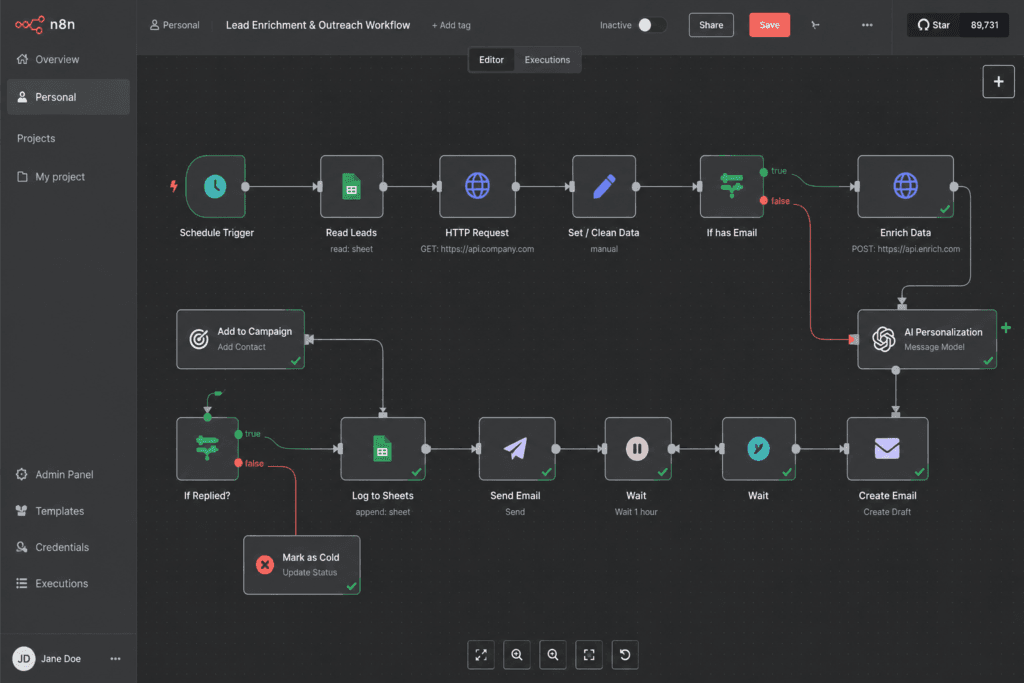
For cold outreach, the tempting move is to build your own email sender. We didn’t. Deliverability — warmup, rotation, reputation — is a specialist job, so we let a dedicated sending platform own it and used our automation only for the parts around it (sourcing, enrichment, personalization).
Lesson: sometimes the right “tool” is not automating that part yourself. Don’t rebuild a specialist product to save a subscription; you’ll pay for it in reputation.
A quick walk-through: a real ecommerce example
Say you run a Shopify or WooCommerce store, drowning in order-routing, support triage, and weekly reporting. Run the filters:
- Process: New order → tag by type → route to fulfillment. New support email → classify (refund / shipping / other) → draft reply → flag urgent. Clear sequence. ✅
- Volume: Hundreds of orders and emails a month, growing → per-task pricing would scale painfully → points to an ownable tool.
- Ownership: You’re semi-technical → you can run n8n; you don’t need to pay the Zapier simplicity premium.
- Integrations: Confirm the exact Shopify/WooCommerce triggers and your email/CRM actions exist. ✅
- Reversibility: Self-hosted workflows you can export. ✅
The answer falls out of the framework — n8n, with AI used only for the classify-and-draft step. Notice we never started with “which tool is best.” We started with the work.
Frequently asked questions
What’s the best AI automation tool for a small business?
There’s no single best — there’s the best for your task at your volume. Run your process through the five filters above. For most small businesses the practical answer is Zapier to start (easiest) and n8n once you scale or add AI (cheapest at volume, you own it).
Should I pick the tool with the most AI features?
No. AI is a step inside a workflow, not the workflow. Pick the automation platform first, then add AI only where judgment or language is genuinely needed. Buying a standalone “AI tool” expecting it to run your business usually ends in an unused subscription.
How do I avoid overpaying for automation?
Check the billing model, not the headline price. Per-task tools (like Zapier) get expensive as workflows get busy; per-execution or self-hosted tools (like n8n) scale far cheaper at volume. Estimate your monthly runs before you commit.
Do I need to be technical to choose the right tool?
No — but be honest about who maintains it. If that’s a non-technical owner, weight ease of use heavily (Zapier). If it’s you or a technical teammate, a more powerful tool pays off.
Can’t I just use one tool for everything?
You can, but you usually shouldn’t. The right end state for many businesses is both: a powerful tool for heavy, AI-driven, high-volume workflows, and a simple one for the two connectors that just need to work. Lowest total cost and headache wins, not purity.
The bottom line
The right AI automation tool isn’t the most powerful, the most popular, or the one with the slickest demo. It’s the smallest tool that survives all five filters for your process, at your volume, that your team can own.
Your homework this week: pick one repetitive process. Write down its steps. Run it through the five filters. Then choose the cheapest tool that makes it through all five — and automate that one thing well before touching anything else. Do that ten times and you’ve quietly rebuilt your business on systems instead of stress.
If you’d rather have it built and tested for you, that’s literally what we do in a free automation audit: tell us the task, and we’ll point you at the simplest tool to DIY it — or build it for you. No retainer, no pitch.
Related reading: n8n vs Zapier (2026) · Easiest AI automation tool for beginners · AI automation for small businesses · n8n workflow templates