

TL;DR
- Automations don’t fail because they’re badly built — they fail because production breaks every assumption the demo relied on: live APIs, clean data, a fresh login, and exactly one run.
- The seven things that actually break: API outages, duplicate runs, silent failures, rate limits, malformed data, expired tokens, and partial completion. At any real volume these aren’t edge cases — they’re certainties.
- The fix isn’t smarter automations, it’s boring plumbing: timeouts + retries, idempotency keys, error/dead-letter paths, monitoring + alerts, throttling, input validation, and auth handling.
- Reliable automations all share one mindset: assume every step can fail, and build so that when it does, the workflow retries, skips, or alerts — and never silently does the wrong thing twice.
So why do automations fail in production when they worked in testing?
Because testing only ever hits the happy path — good data, live APIs, a fresh login, one clean run while someone watches. Production hits everything else.
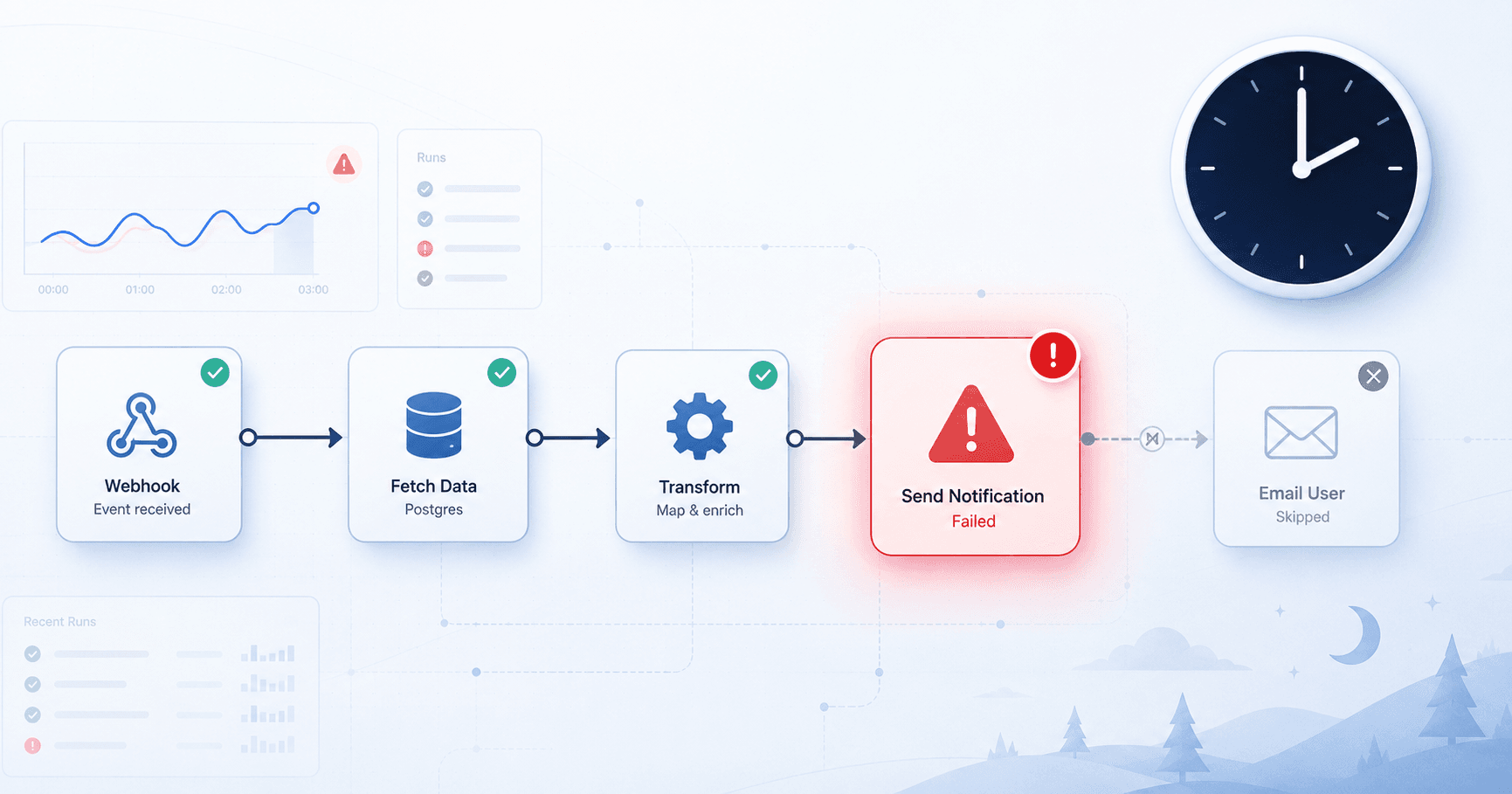
The workflow runs at 2am when nobody’s watching. The enrichment API is mid-outage. One lead has null where a company name should be. The OAuth token quietly expired three days ago. And the same webhook just got delivered twice. None of that shows up in a demo, because a demo is a magic trick performed under perfect conditions. Production is plumbing, run under hostile ones.
So an automation that survives production isn’t smarter than one that doesn’t. It just assumes every single step can fail — and is built to retry, skip, alert, or roll back when it does, instead of crashing silently or doing the wrong thing twice. That’s the entire difference, and the rest of this article is the seven specific ways it plays out.
Not sure whether your current automations have any of this underneath them? That’s exactly what we pressure-test in a free automation audit — we trace your critical workflows and tell you where they’ll break before they do.
Disclosure: Orchient builds and maintains client automations, mostly in n8n, and some links to it are affiliate links (we may earn a commission at no cost to you). Everything below is how we actually build for production, tool aside.
The gap nobody budgets for
A working automation and a reliable one are separated by a surprising amount of code that does nothing on a good day. That’s the part that gets cut when someone says “it’s just a quick automation.”
The trouble is the failure modes below aren’t edge cases. At any real volume they’re certainties — not “if” but “how often.” An API that’s up 99.9% of the time is down for your run roughly once every thousand executions. Run a workflow hourly and that’s a failure a month, on a tool you don’t control, while you sleep. Build like that’s guaranteed, because it is.
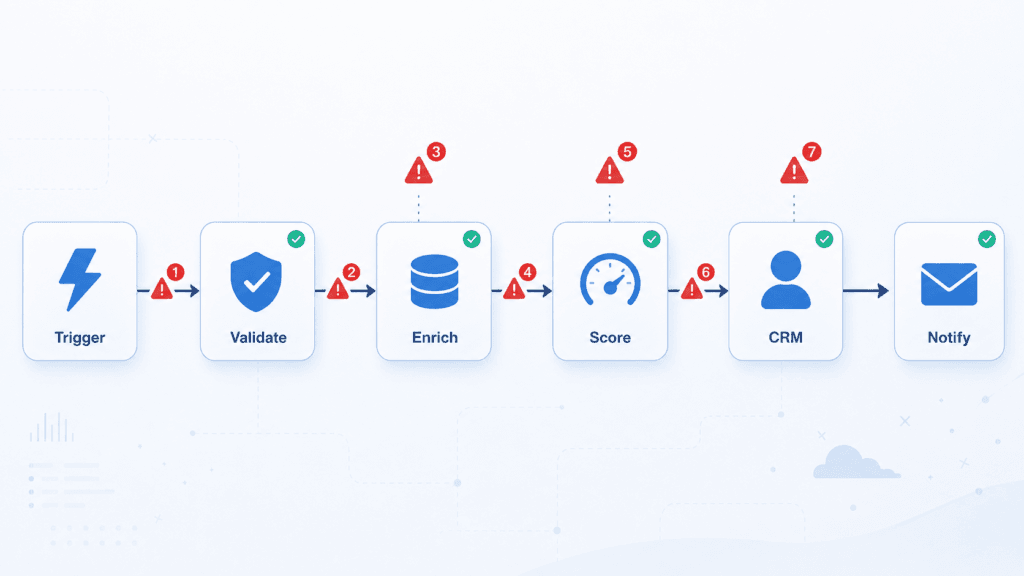
Here are the seven things that actually break, in roughly the order they’ll bite you.
1. The third-party API goes down (and it will)
Your workflow depends on services you don’t run — an enrichment provider, a CRM, an AI model, an email API. Each one has outages, slow days, and maintenance windows that don’t care about your schedule.
What breaks: a step calls an API that times out or returns a 500. Without handling, the whole run dies right there. Worse, it dies halfway — which leads straight to #7.
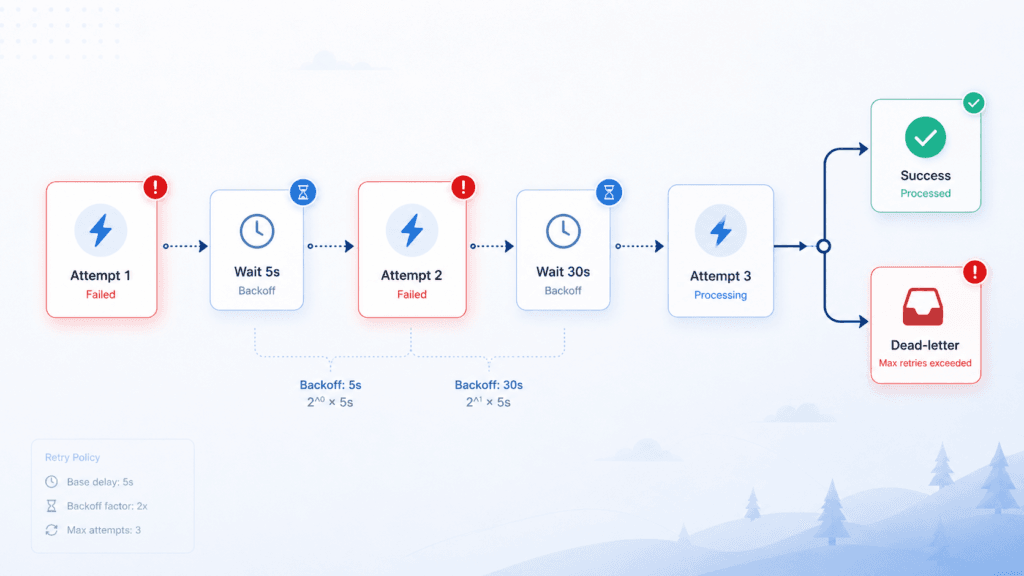
The guardrail: every external call gets a timeout, a retry with backoff (try again in 5s, then 30s, then 2min — not instantly, which just hammers a service that’s already struggling), and a defined answer to “what if it still fails after 3 tries?” Sometimes that’s skip-and-log, sometimes it’s route to a human. What it’s never is “crash silently.”
2. The same run fires twice (idempotency)
This is the one that turns a glitch into a refund request. Webhooks get delivered twice. A user double-clicks. A retry re-runs a step that already half-succeeded. Now your automation has charged a card twice, sent the same email twice, or created two CRM records for one lead.
What breaks: the workflow assumes it runs once per event. Reality delivers some events two or three times.
The guardrail: idempotency. Every action that touches the outside world (charges, emails, record creation) is keyed to something unique — an order ID, a lead’s email, an event ID — so running it twice produces the same result as running it once. “Create contact” becomes “create contact if one with this email doesn’t already exist.” Boring. Saves you the worst support tickets you’ll ever get.
3. It fails silently (the workflow that’s been off for a week)
The scariest failure isn’t the loud one. It’s the automation that quietly stopped a week ago and nobody noticed because nothing errored at you — it just… didn’t run. Leads weren’t routed. Invoices weren’t sent. You find out when a customer asks where their thing is.
What breaks: no news is assumed to be good news. It isn’t. A trigger that didn’t fire produces zero errors and zero output — indistinguishable from “a quiet week” until it’s a crisis.
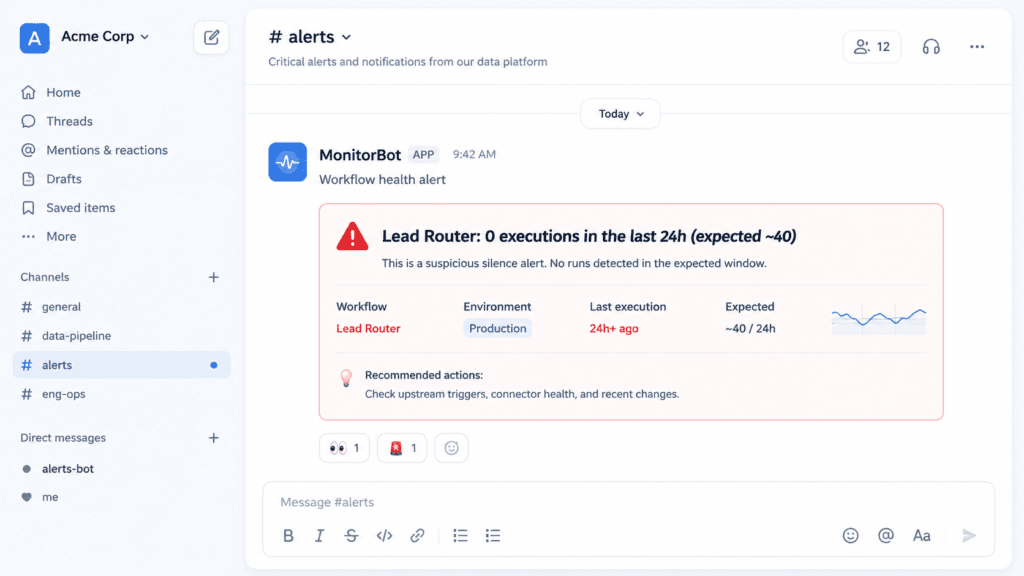
The guardrail: monitoring and alerting. Critical workflows report when they fail and when they’re suspiciously quiet (“we usually process 40 leads a day; today: 0 — that’s an alert”). A failure you hear about in 5 minutes is an annoyance. The same failure you hear about in 5 days is an incident.
4. Rate limits and throttling
The workflow that runs fine on 10 records chokes on 10,000. You push a batch through an API faster than it allows, it starts returning 429 Too Many Requests, and now a chunk of your run just… didn’t happen.
What breaks: code written for the test-size batch meets a production-size batch. Bulk operations hit a ceiling the demo never reached.
The guardrail: respect the limits on purpose — throttle deliberately (N requests per second), batch large jobs, and treat 429 as a retry-after signal, not a failure. It’s slower. It’s also the difference between “processed 10,000 leads” and “processed the first 800 and silently dropped the rest.”
5. The data is malformed, empty, or shaped wrong
In the demo, every field is filled in. In production, someone submits a form with an emoji in the phone field, a lead has no last name, an upstream system renames a field, and a price arrives as the string "1,200" instead of the number 1200.
What breaks: step 4 assumes step 1 handed it clean data. One null, one wrong type, one renamed field, and the run errors — or quietly does the wrong thing, which is worse.
The guardrail: validate at the door. Check the shape and the critical fields before you act on them. Missing required data routes to a “needs review” path instead of crashing or polluting your CRM with garbage records. Assume every input is hostile until proven otherwise, because eventually one is.
6. The login quietly expires (auth and token rot)
OAuth tokens expire. API keys get rotated. A password change on a connected account silently kills the integration. None of these announce themselves — the workflow just starts failing auth on every run, and per #3, you might not notice for a while.
What breaks: credentials are assumed permanent. They aren’t. Tokens rot, and the failure looks like the API rejecting you for no reason.
The guardrail: handle token refresh properly, and treat auth failures as their own alert category — “this didn’t fail because of bad data, it failed because we can no longer log in” is a different fix, and you want to know which one you’re looking at immediately.
7. It fails halfway (partial completion)
The cruelest one. A six-step workflow gets through four steps and dies on the fifth. The lead got created in the CRM and the welcome email got sent — but the payment didn’t process and the Slack notification never fired. You’re now in a half-finished state that’s harder to clean up than a clean failure.
What breaks: the workflow assumes it either fully succeeds or fully fails. Reality offers a third option: partially succeeded, in a way that’s a pain to untangle.
The guardrail: design for it. Know which steps are safe to re-run (the idempotent ones from #2) and which aren’t. For the dangerous ones, use a dead-letter path — a failed run lands somewhere visible with its full context, so a human can finish or reverse it instead of you discovering the mess later. The goal isn’t zero failures. It’s no failure that leaves a quiet, expensive mess behind.
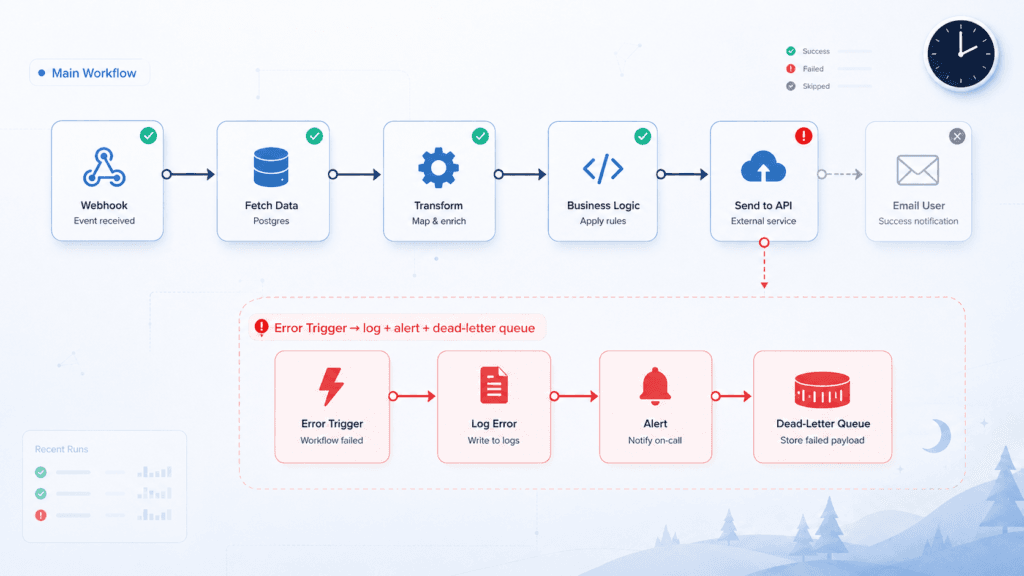
The guardrails, in one place
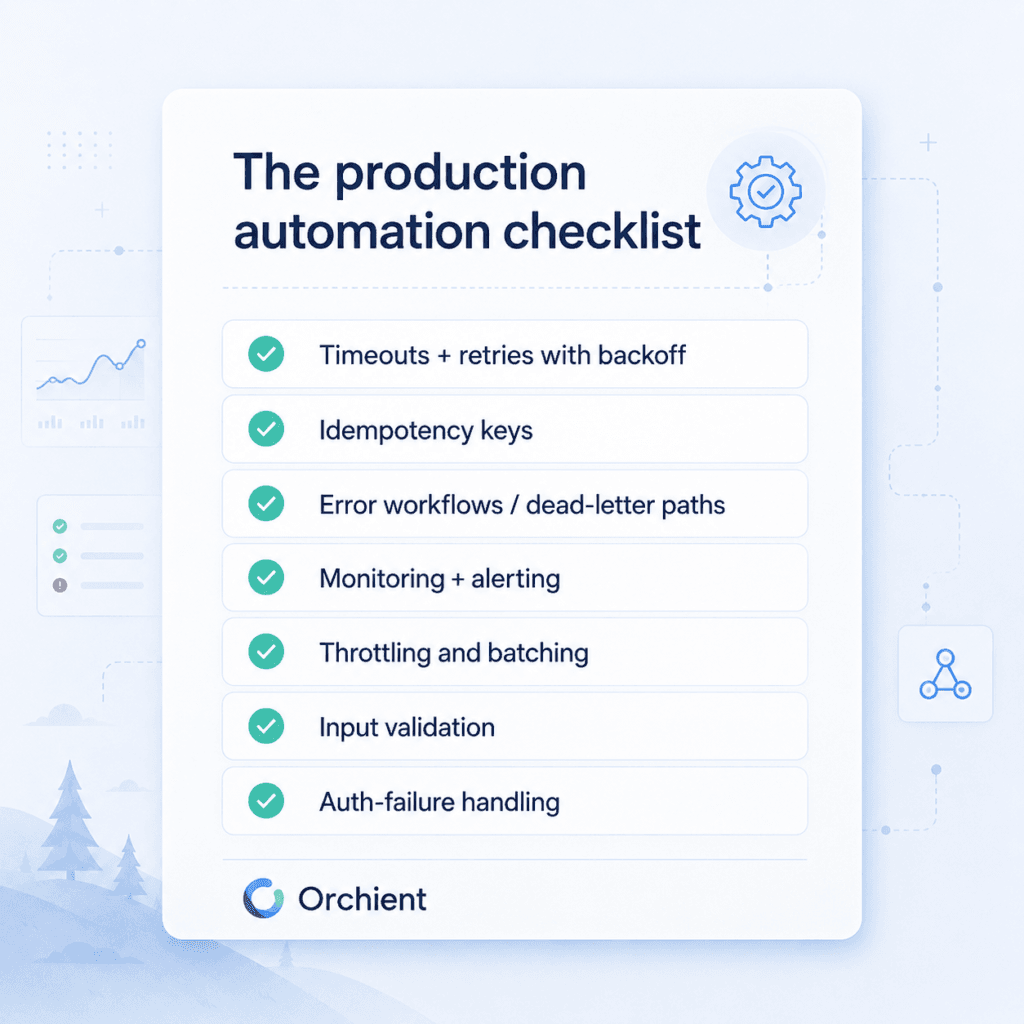
If you skimmed, here’s the production checklist underneath everything above:
- Timeouts + retries with backoff on every external call
- Idempotency keys on anything that charges, emails, or creates records
- Error workflows / dead-letter paths so failures land somewhere visible, not in a void
- Monitoring + alerting for both loud failures and suspicious silence
- Throttling and batching so volume doesn’t trip rate limits
- Input validation before you act on any data
- Auth-failure handling as its own category, with token refresh
This is also a real argument for which tool you build in. We default to n8n for production work partly because error handling, retries, and dedicated error workflows are first-class — you can build all seven guardrails without leaving the platform. (More on that tradeoff in n8n vs Zapier.) The tool matters less than the discipline, though. You can build fragile automations in anything.
Demo automation vs production automation
| The demo | Production | |
|---|---|---|
| The API | Always up | Down for your run eventually |
| The data | Clean and complete | Missing, malformed, renamed |
| The run count | Exactly once | Sometimes twice |
| The login | Fresh | Quietly expired |
| When it runs | While you watch | At 2am, alone |
| When it fails | You see it instantly | You find out in five days |
A demo proves an automation can work. Production is whether it keeps working when every assumption underneath it is false at the same time. The first is a weekend. The second is the actual job.
The bottom line
Automation ROI doesn’t come from the workflow running. It comes from the workflow running unattended, correctly, every time, including the times something upstream breaks. A fragile automation isn’t a time-saver — it’s a new thing to babysit, and it’ll fail at the worst possible moment because that’s when systems are most stressed.
None of this plumbing is exciting. That’s the point: when it’s done right, you never think about your automations at all, which is the entire reason you automated. When it’s done wrong, you find out at 2am — or worse, your customer finds out first.
If you’ve got automations running the business and you’re not sure what’s underneath them, that’s the most valuable 30 minutes we spend: a free automation audit where we trace your critical workflows, find the missing guardrails, and send you a written list of what will break before it does. No retainer, no pitch — just the boring stuff that keeps you out of a 2am incident.
FAQ
Why do automations fail in production but not in testing?
Testing hits the happy path: clean data, live APIs, a fresh login, and a single run you’re watching. Production hits outages, malformed or missing data, expired tokens, rate limits, and duplicate runs — usually several at once, at a time nobody’s watching. The automation didn’t get worse; the conditions did.
What is idempotency in automation, and why does it matter?
Idempotency means running the same action twice produces the same result as running it once. You key each external action (a charge, an email, a record) to something unique like an order ID or email address, so a duplicate webhook or a retry can’t double-charge a card or create two contacts. It’s the single guardrail that prevents the worst customer-facing mistakes.
How do I know if an automation has silently failed?
You don’t — unless you built it to tell you. Add monitoring that alerts on both errors and unexpected silence (e.g. “0 runs today when we normally see 40”). Without that, a workflow can sit dead for a week and the only signal is a customer asking where their thing is.
Is n8n more reliable than Zapier for production workflows?
Both can run reliable automations; the difference is how much control you have over the guardrails. n8n gives you first-class error workflows, retries, and dead-letter handling you build directly into the workflow, which is why we default to it for production. The discipline matters more than the tool — see our full n8n vs Zapier breakdown.
Do I really need all this for a simple automation?
Match the plumbing to the stakes. A workflow that posts a daily summary to Slack can fail and nobody’s hurt — keep it simple. A workflow that charges customers, routes leads, or sends contracts needs the full set, because a silent or duplicate failure there costs money or trust. The audit below tells you which of yours is which.
How much does it cost to make an automation production-ready?
Less than one bad 2am incident. The guardrails are mostly build-time discipline, not extra subscriptions — the cost is doing it up front instead of after something breaks. If you want a second set of eyes, our automation audit is free and ends with a written list of exactly what to add.
Related reading: n8n vs Zapier · n8n workflow templates · Best AI automation tools · Self-hosting n8n on a VPS