
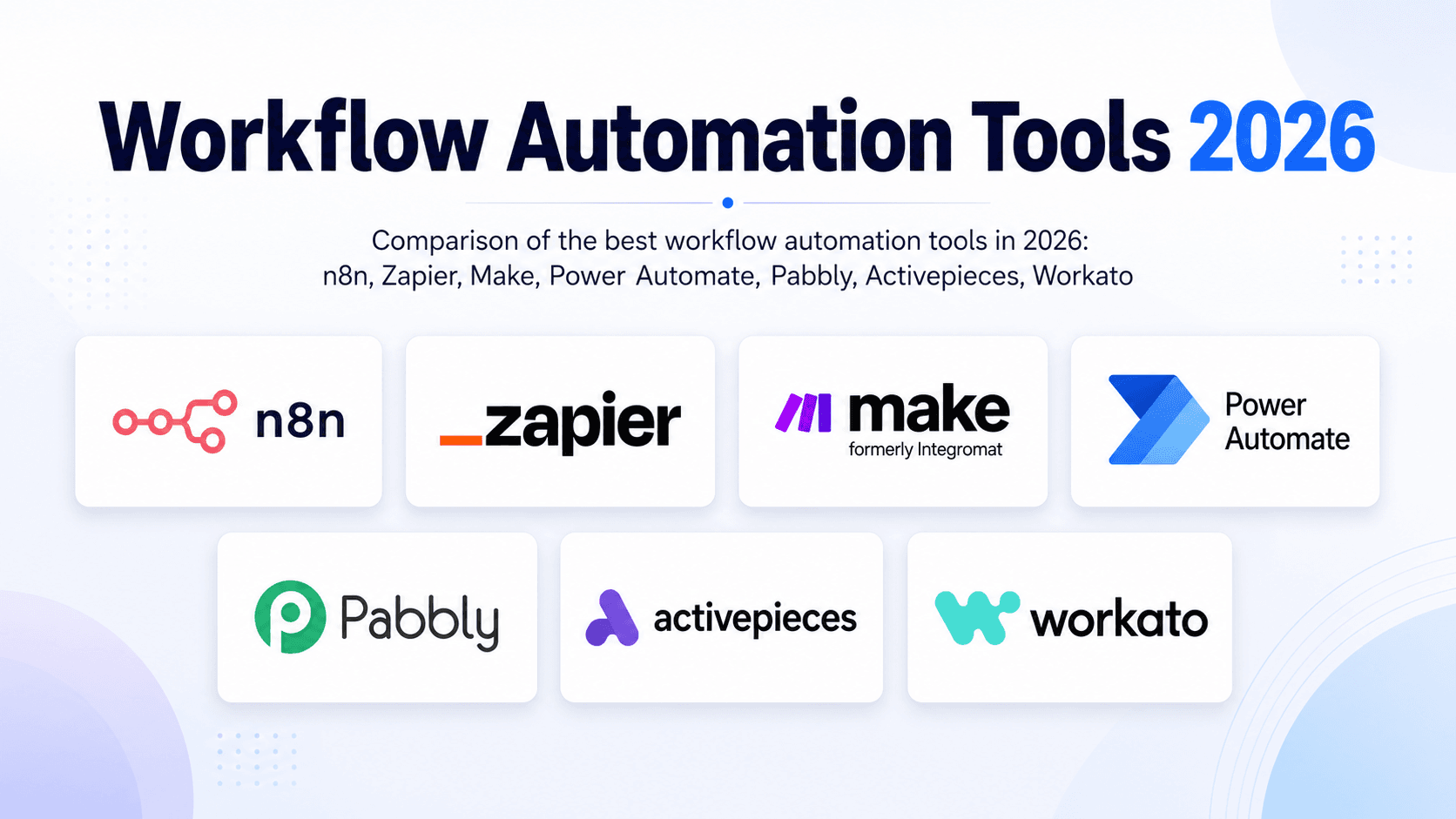
There are a hundred “best workflow automation tools” lists and most of them are ranked by affiliate payout. This one is ranked by what we’d actually deploy for a paying client, because we build and run these automations for a living. We build primarily on n8n, so we’ll flag that bias every time it matters and tell you when a different tool is the better call. It often is.
The best workflow automation tool depends on your volume and technical comfort. Zapier is the easiest to start and has the widest app library. n8n is the most cost-effective at scale and the strongest for AI workflows. Make sits in the middle for visual builders. Power Automate fits Microsoft-heavy teams. There is no single winner, only the right fit for your stack.
Below is our scoring rubric (so you can see how we ranked, not just what we ranked), a comparison table, then each tool with honest strengths, real weaknesses, and who should pick it.
Disclosure: links to n8n Cloud are affiliate links. If you start a paid n8n Cloud plan through them, we may earn a commission at no extra cost to you. It does not change our scoring or rankings, and our top recommendation (self-hosted n8n) earns us nothing.
Want this matched to your exact stack? We do this mapping in a free automation audit: you tell us what you’re running and how much, we send a written tool recommendation and a cost estimate. No pitch. Read the shortlist first.
How we scored them
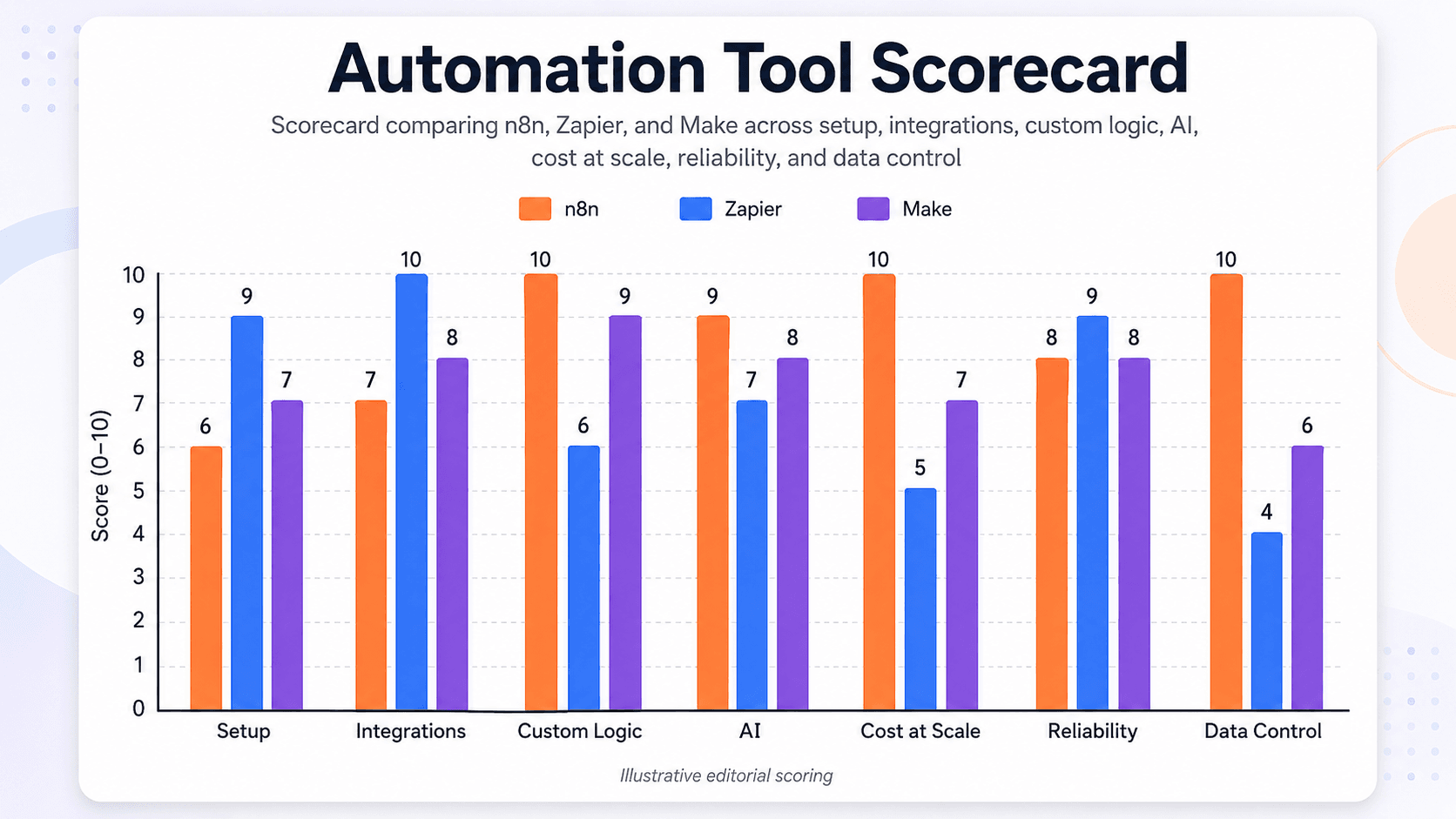
We rated each tool 1 to 5 on seven dimensions that actually decide success in production:
- Ease of setup — how fast a non-technical operator gets a real workflow live.
- Integration breadth — size and quality of the prebuilt app library.
- Custom logic and code — branching, loops, and the ability to drop into real code.
- AI and agent support — native LLM nodes and agent building, not just a prompt box.
- Cost at scale — what the bill looks like as volume grows (per-task vs per-run matters here).
- Reliability and error handling — retries, error branches, visibility into failures.
- Data control — self-hosting and keeping data on your own infrastructure.
Disclosure, per our house rules: we have run n8n, Zapier, and Make in production for clients. The others we have tested and researched but not operated at scale, and we mark those scores accordingly.
Quick comparison
| Tool | Best for | Pricing model | Setup ease | Cost at scale | AI/agents | Self-host |
|---|---|---|---|---|---|---|
| n8n | Scale, AI, cost control | Per execution / free self-host | Medium | Excellent | Excellent | Yes |
| Zapier | Fast setup, app breadth | Per task | Excellent | Weak | Limited | No |
| Make | Visual mid-volume builds | Per operation | Good | Good | Moderate | No |
| Power Automate | Microsoft 365 shops | Per user / per flow | Medium | Good | Moderate | No |
| Pabbly Connect | Tight budgets | Flat / per task (cheap) | Good | Good | Limited | No |
| Activepieces | Open-source alternative | Free self-host / cloud | Medium | Good | Moderate | Yes |
| Workato | Enterprise integration | Custom (high) | Medium | N/A (enterprise) | Moderate | No |
1. n8n — best for scale, AI, and cost control
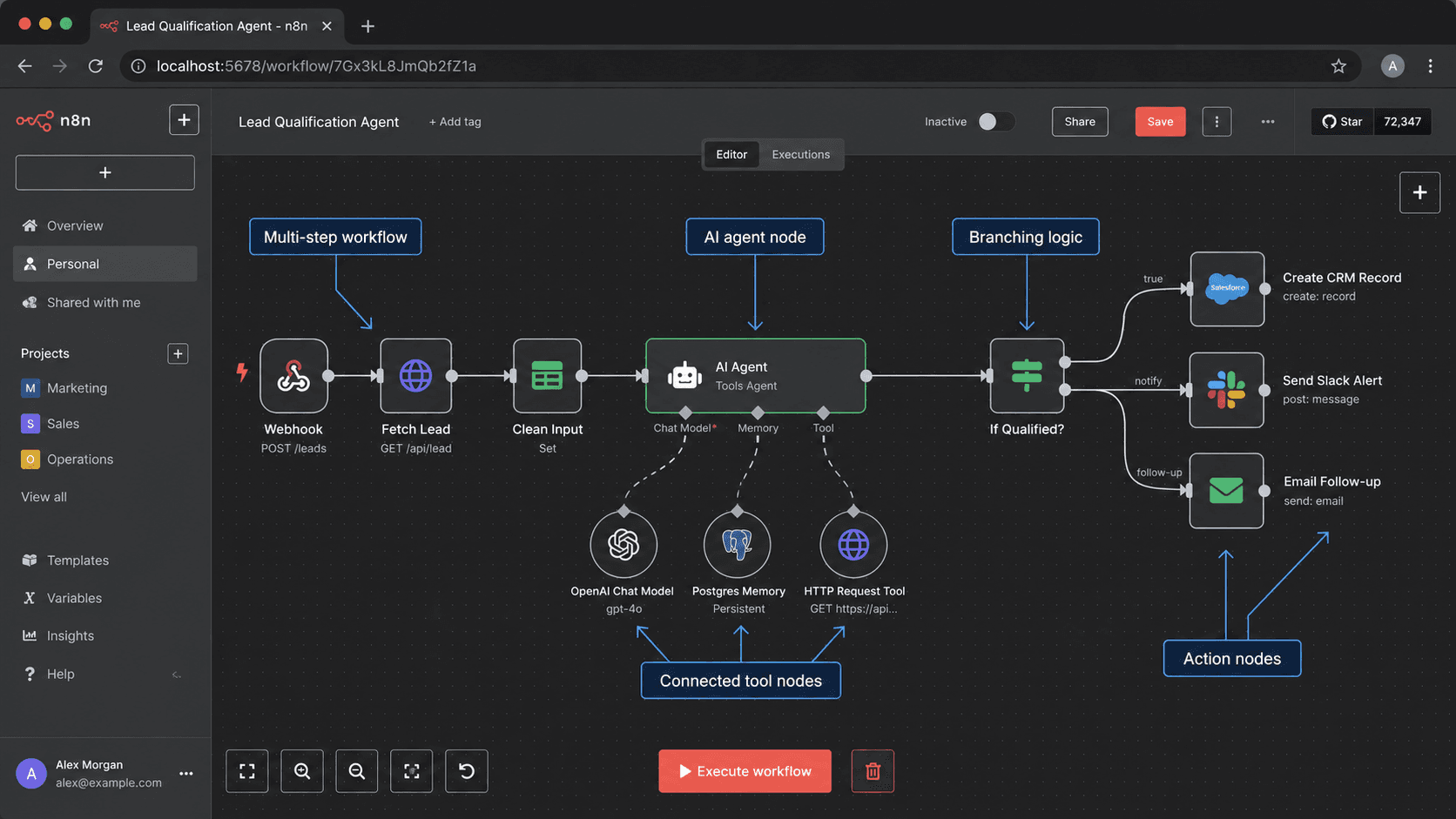
The one we build on most, so weigh that. n8n is a source-available automation platform you can run in the cloud or self-host. Its defining feature is the pricing model: it bills per workflow execution, not per step, so complex multi-step workflows stay affordable as volume grows. It also has the strongest native AI tooling in this list, with dedicated OpenAI, Anthropic, and LangChain-based agent nodes for building real AI agents in n8n.
- Pricing (est., 2026): free self-hosted (server roughly $5 to $20/mo); n8n Cloud from around $24/mo (affiliate link). Full detail in n8n pricing explained.
- Strengths: lowest cost at scale, native code (JavaScript and Python), best AI/agent support, self-hosting for data control, deep error handling.
- Weaknesses: steeper learning curve, fewer prebuilt integrations than Zapier, and a real ops burden if you self-host.
- Pick it if: you run real volume, build AI workflows, or want to keep data on your own infrastructure, and you have technical capacity (in-house or an agency).
Scores: Setup 3 · Integrations 4 · Custom logic 5 · AI 5 · Cost at scale 5 · Reliability 4 · Data control 5.
2. Zapier — best for fast setup and app coverage
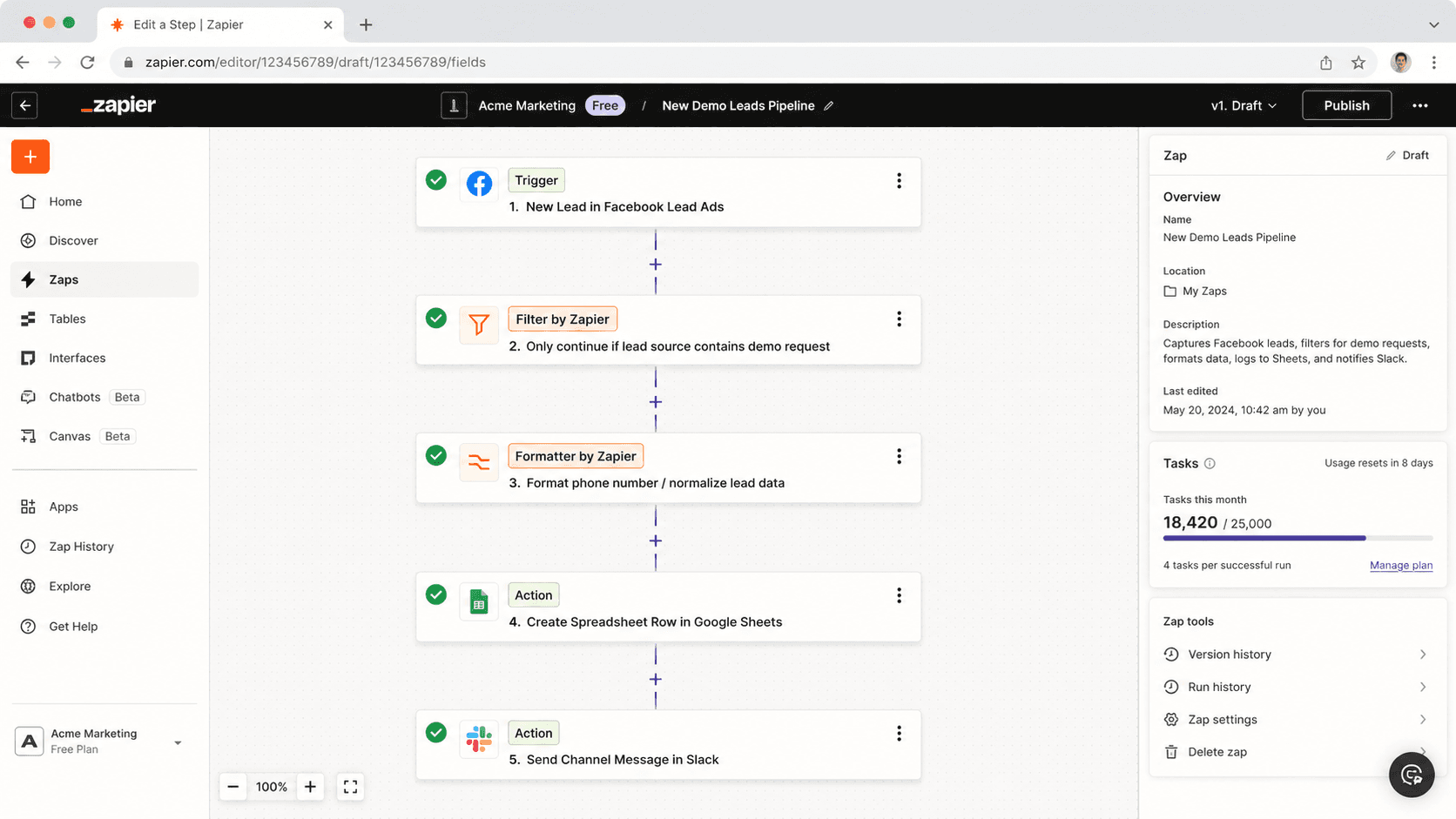
Zapier is the most approachable tool here and has the largest prebuilt app library, full stop. For a non-technical operator who needs a mainstream-SaaS automation live this afternoon, nothing is smoother. The catch is the per-task pricing: every step, including filters and formatters, counts, so cost climbs fast as workflows get complex or high-volume. We cover the full trade in n8n vs Zapier.
- Pricing (est., 2026): Free; Starter around $29.99/mo; Professional around $73.50/mo; Team around $103.50/mo.
- Strengths: fastest setup, biggest app library, mature reliability, real support on paid plans.
- Weaknesses: task-based cost inflation, limited custom logic, thin error handling, no self-hosting.
- Pick it if: you’re non-technical, low-volume, on a mainstream stack, and value speed over cost-at-scale. If the bill is what’s pushing you out, see Zapier alternatives.
Scores: Setup 5 · Integrations 5 · Custom logic 2 · AI 2 · Cost at scale 2 · Reliability 4 · Data control 1.
3. Make — best visual builder for mid-volume
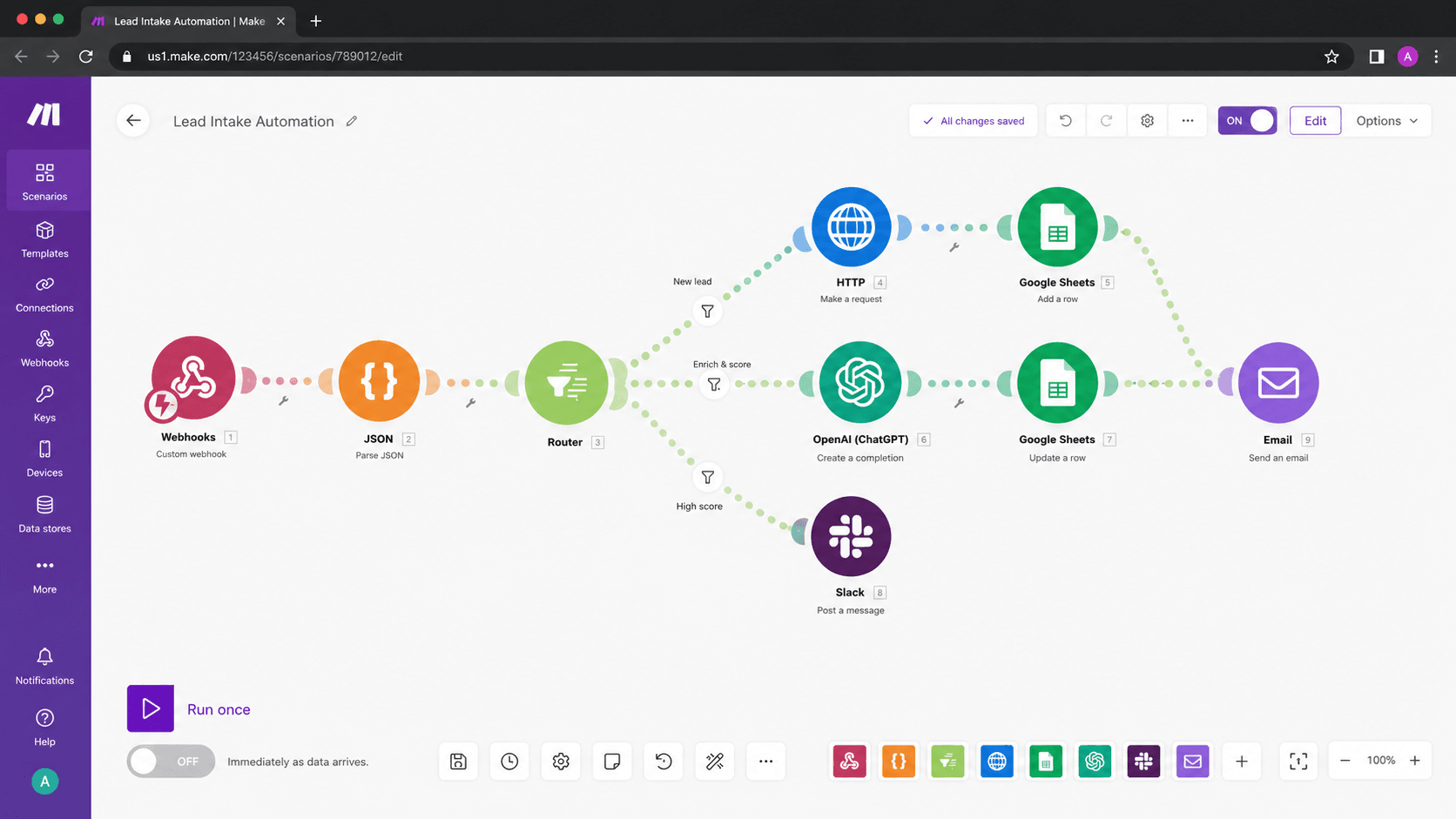
Make (formerly Integromat) is the middle path: a visual, drag-the-modules canvas that’s more powerful than Zapier’s editor and cheaper at mid-volume, while still being fully managed. It bills per operation, which sits between Zapier’s per-task and n8n’s per-run on the cost curve. Compare directly in n8n vs Make and Make vs Zapier.
- Pricing (est., 2026): Free tier; paid from roughly $9 to $30+/mo depending on operations.
- Strengths: strong visual UX, good value at mid-volume, capable branching and routing.
- Weaknesses: operation metering still climbs at high volume, no self-hosting, steeper than Zapier for true beginners.
- Pick it if: you want more power than Zapier and better value at mid-volume, without running your own server.
Scores: Setup 4 · Integrations 4 · Custom logic 4 · AI 3 · Cost at scale 3 · Reliability 4 · Data control 1.
4. Microsoft Power Automate — best for Microsoft 365 shops
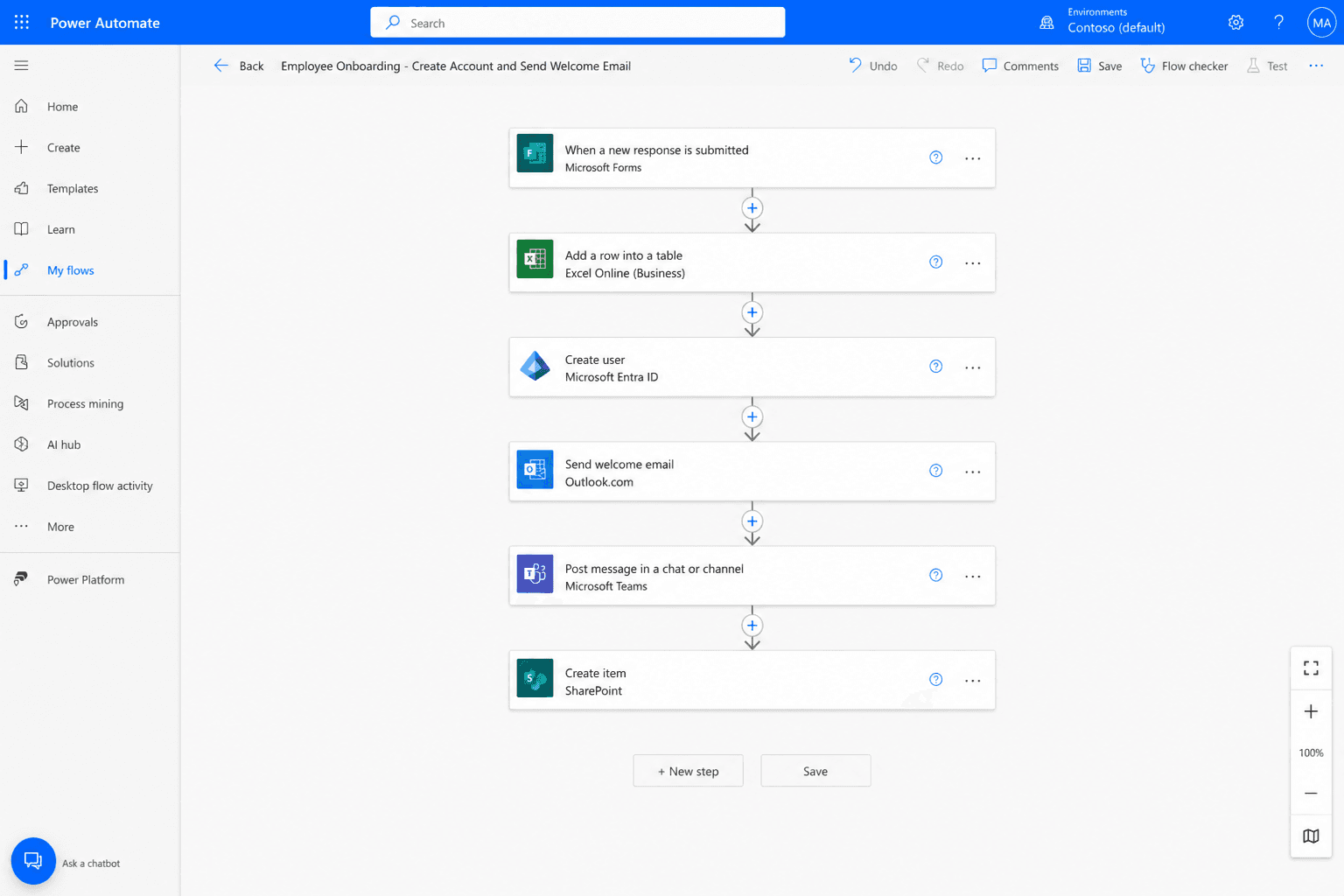
If your organization lives in Microsoft 365, Power Automate is the path of least resistance. It’s bundled or cheap with many M365 plans and integrates tightly with Teams, SharePoint, Outlook, and the rest of the stack. Outside the Microsoft ecosystem it’s less compelling.
- Pricing (est., 2026): per-user and per-flow plans, often partly covered by existing M365 licensing.
- Strengths: deep Microsoft integration, attractive cost for existing M365 customers, enterprise governance features.
- Weaknesses: clunkier outside Microsoft apps, licensing complexity, weaker for modern AI-agent workflows.
- Pick it if: you’re a Microsoft-first organization and most of your automation lives inside that ecosystem.
Scores: Setup 3 · Integrations 4 · Custom logic 3 · AI 3 · Cost at scale 4 · Reliability 4 · Data control 2.
5. Pabbly Connect — best for tight budgets
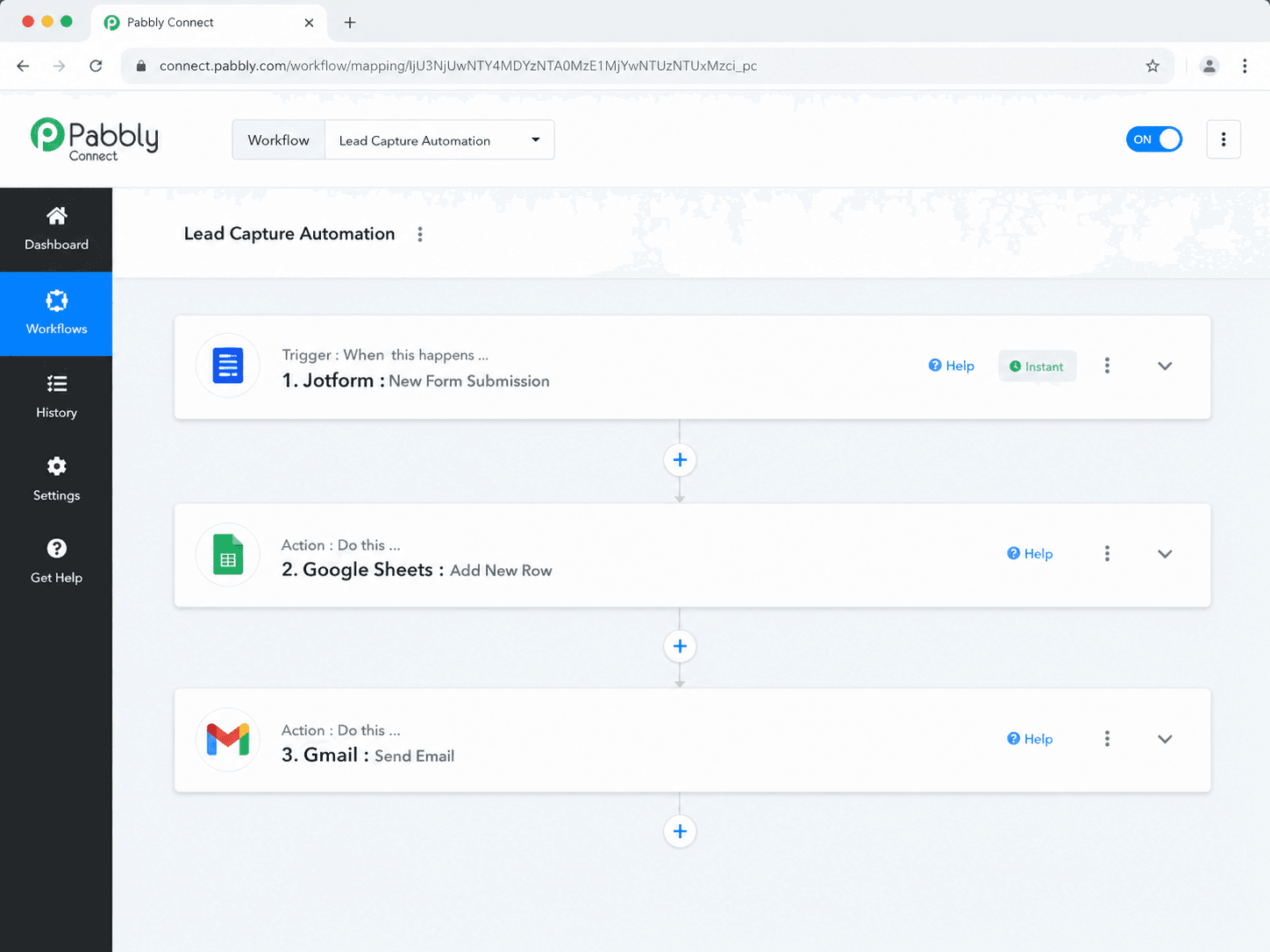
Pabbly Connect competes on price. Its plans are notably cheaper than Zapier’s and it doesn’t count internal steps (filters, routers) the way Zapier counts tasks, which makes the effective cost lower for multi-step work. The trade is a smaller integration library and a less polished experience.
- Pricing (est., 2026): budget monthly plans, often well under Zapier for comparable volume.
- Strengths: low cost, no per-internal-step tax, generous task allowances.
- Weaknesses: smaller app library, less mature UX and support, lighter on AI.
- Pick it if: budget is the binding constraint and your integrations are covered.
Scores: Setup 4 · Integrations 3 · Custom logic 3 · AI 2 · Cost at scale 4 · Reliability 3 · Data control 1.
6. Activepieces — best open-source alternative
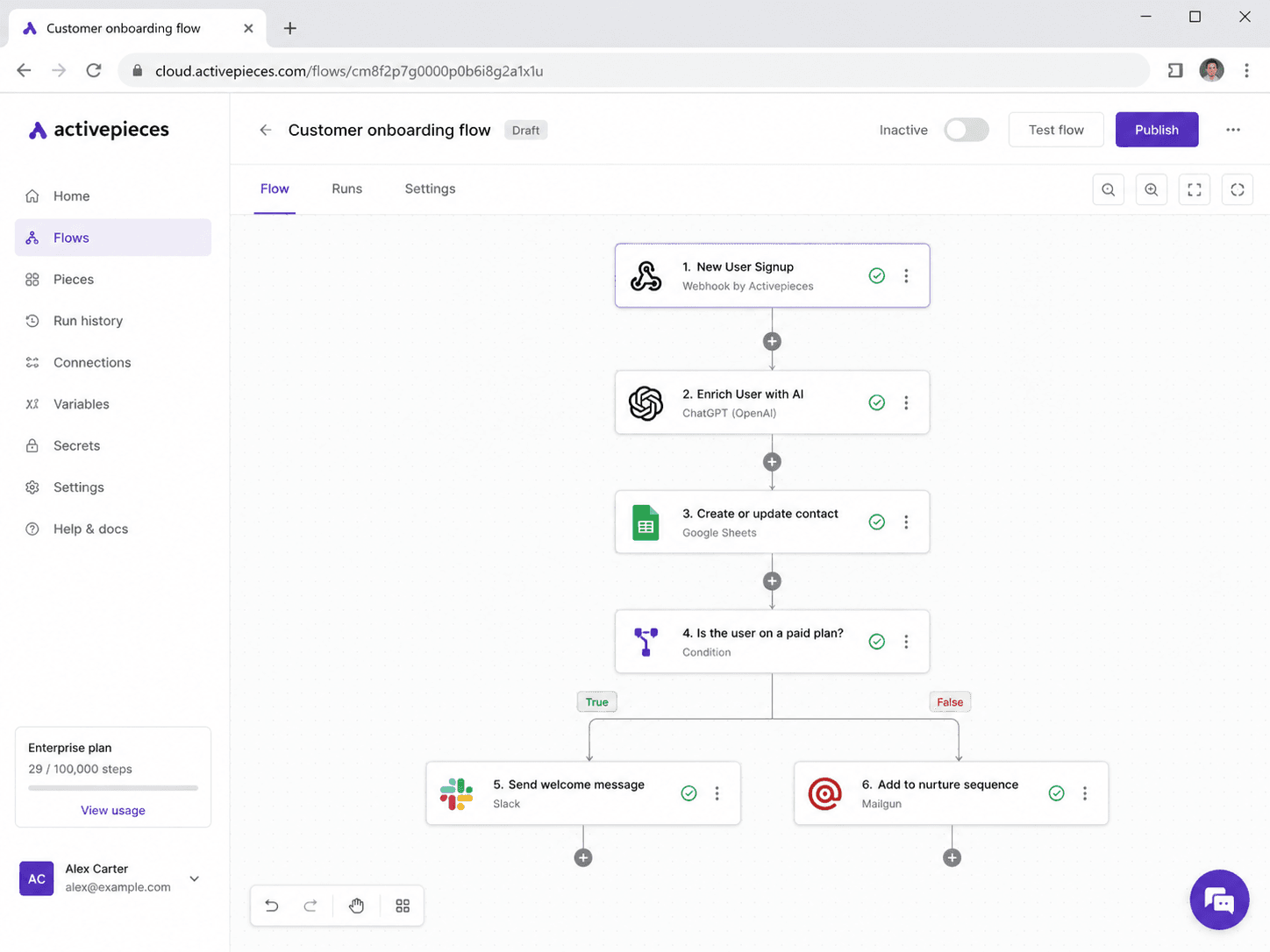
Activepieces is an open-source, self-hostable automation tool, conceptually n8n’s nearest rival in that niche. It’s younger and has a smaller ecosystem, but it’s genuinely free to self-host and is maturing quickly. Worth watching if open-source and data control matter and you find n8n’s learning curve steep.
- Pricing (est., 2026): free self-hosted; managed cloud tiers available.
- Strengths: open-source, self-hostable, simpler than n8n for some users, active development.
- Weaknesses: smaller community and integration set, fewer advanced features, less battle-tested at scale.
- Pick it if: you want open-source and self-hosting but a gentler on-ramp than n8n.
Scores: Setup 3 · Integrations 3 · Custom logic 3 · AI 3 · Cost at scale 4 · Reliability 3 · Data control 5.
7. Workato — best for enterprise integration
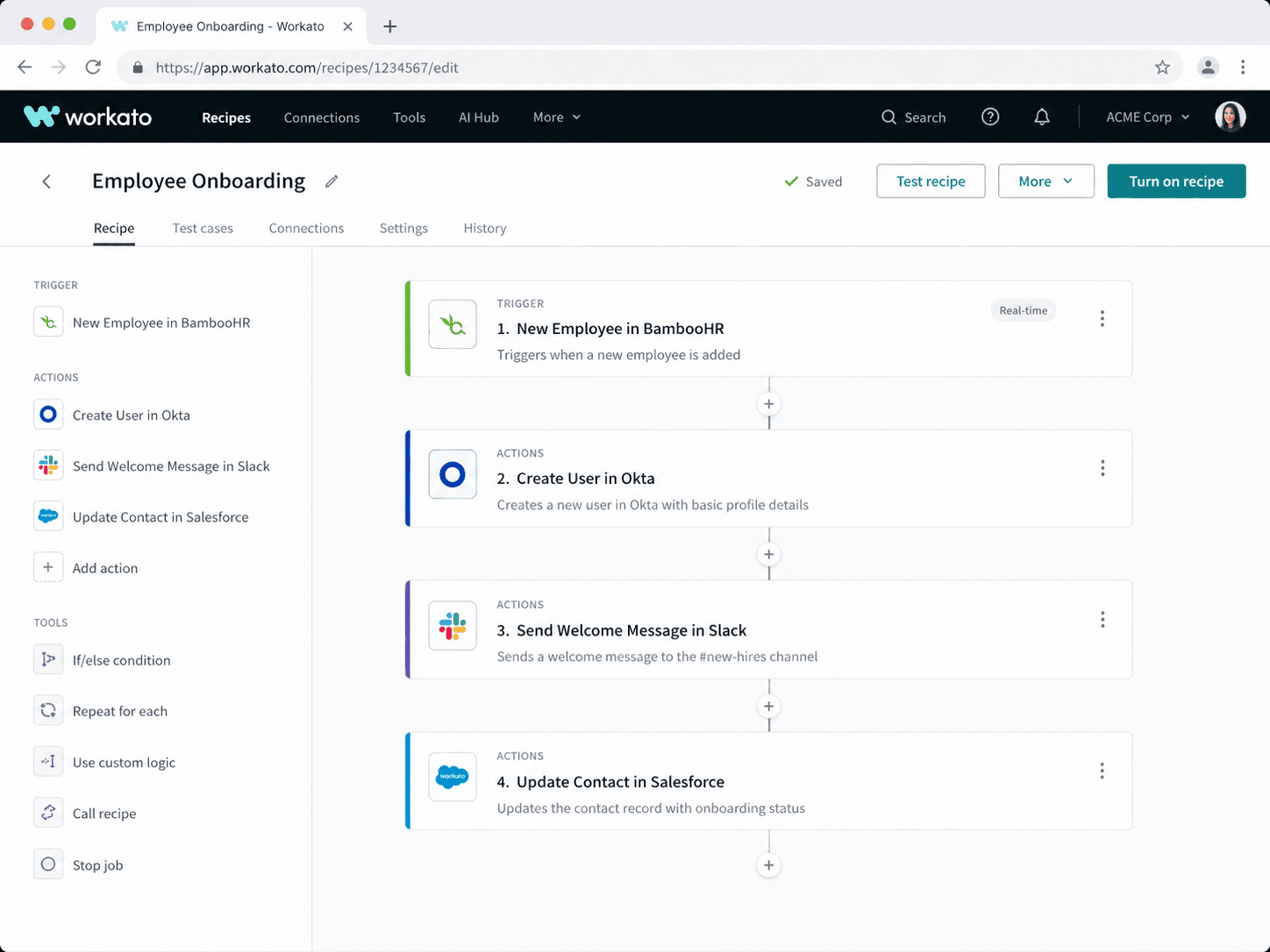
Workato is an enterprise-grade integration and automation platform with governance, security, and support built for large organizations. It’s powerful and correspondingly expensive, with custom pricing that puts it out of reach for most small teams. Mentioned for completeness, not for the typical operator reading this.
- Pricing (est., 2026): custom enterprise quotes, typically five figures annually.
- Strengths: enterprise governance, strong support, mature at scale.
- Weaknesses: cost, complexity, overkill for SMBs.
- Pick it if: you’re an enterprise with a dedicated integration team and budget to match.
Scores: Setup 3 · Integrations 5 · Custom logic 4 · AI 3 · Cost at scale 3 · Reliability 5 · Data control 3.
Want the scorecard you can fill in with your own numbers? Our workflow-automation decision template scores these tools against your volume, stack, and technical capacity and outputs a recommendation. We build it into the free automation audit, or run it yourself first.
How to actually choose
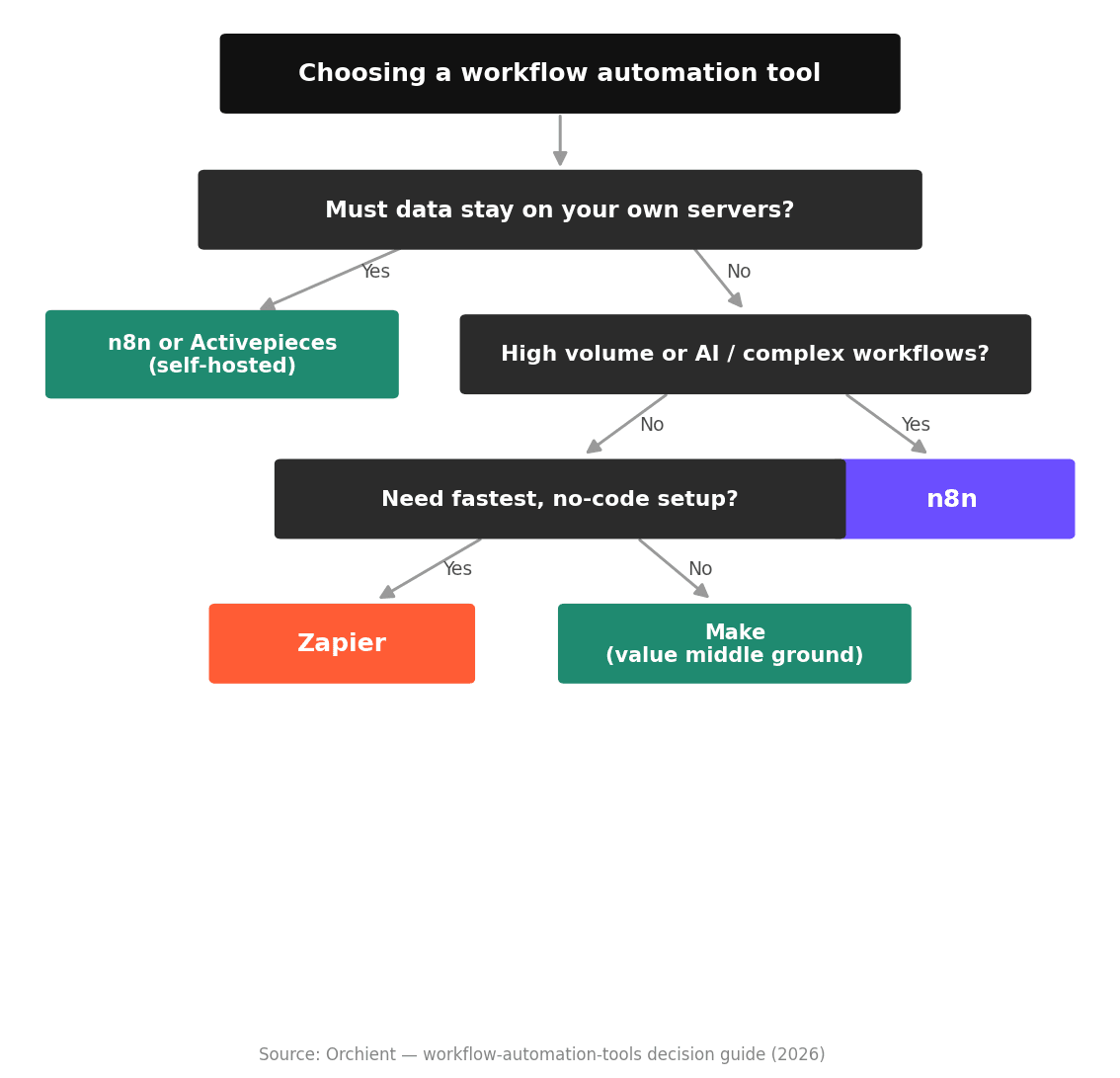
Skip the feature-by-feature paralysis. The decision usually collapses to three questions:
- How technical is your team? No technical resource and a mainstream stack: Zapier or Make. A technical owner or an agency: n8n or Activepieces open the door to better economics.
- How much volume and complexity? Low volume, simple workflows: ease wins, pick Zapier. High volume or multi-step/AI logic: cost-at-scale wins, pick n8n.
- Does data control matter? Healthcare, legal, finance, or strict data-residency needs: self-hostable (n8n or Activepieces) is effectively required.
For the bigger picture of where these fit, start with what is workflow automation, and if AI is central, our best AI automation tools guide goes deeper on the agent side.
Tools we excluded and why
- IFTTT — built for consumer device and app automations, not business workflows. Great for “turn on the lights,” wrong tool for operations.
- Tray.io — capable, but enterprise-priced and enterprise-aimed; for most readers here it’s the wrong end of the budget.
- Boomi / MuleSoft — heavy enterprise iPaaS platforms; powerful, but overkill and over-budget for the SMB and mid-market operator this list serves.
- Generic “AI workflow builders” with no track record — several launched recently with strong demos and no production history. We don’t recommend tools we can’t vouch for under load. We’ll add them when they’ve earned it.
FAQ
What is the best free workflow automation tool?
Self-hosted n8n (Community edition) and Activepieces are the strongest genuinely free options, though both require running a server. For a free managed option, Zapier, Make, and Pabbly all have free tiers with low limits suitable for testing or very light use.
Which workflow automation tool is easiest to use?
Zapier, by a clear margin, for a non-technical operator. Make is next. n8n is more powerful but has a steeper learning curve.
Which is cheapest at scale?
Self-hosted n8n, because its cost is roughly flat regardless of execution volume. Per-task tools like Zapier get expensive fastest as volume and step count grow.
Do I need to know how to code?
No, for Zapier, Make, Pabbly, and basic n8n use. Coding ability unlocks more power in n8n and Activepieces (both have real code nodes) but isn’t required to start.
What’s the difference between Zapier and n8n?
Mainly the pricing model and ceiling: Zapier bills per task and is easiest to start; n8n bills per run, is cheaper at scale, supports self-hosting, and is stronger for AI. Full breakdown in n8n vs Zapier.
The bottom line
Free automation audit
The bottom line: don’t guess your automation stack.
Zapier is usually the safest start for non-technical, low-volume teams. n8n becomes the stronger choice when volume, complexity, AI workflows, or data control matter. Make sits in the middle for teams that want visual flexibility without running infrastructure.
But the right answer depends on your actual tools, workflow volume, team comfort, and where manual work is slowing you down.
Get a free workflow automation audit
Send us your current stack and rough monthly automation volume. We’ll review it and send back a written recommendation covering:
- Which automation tool fits best: n8n, Zapier, Make, or another option
- Which plan or setup makes sense for your volume
- The first 3 workflows worth building
- Where AI automation could save time without adding complexity
No obligation. If the cheapest right answer is a tool we don’t build on, we’ll tell you.
Request your free automation auditPricing and feature details are estimates as of 2026 and may change. Verify against each vendor’s pricing page before deciding. Orchient builds and operates workflow automations, primarily with n8n and AI/no-code systems, and we disclose that bias clearly.
If you want the shortest honest version: start on Zapier if you’re non-technical and low-volume, move to or start on n8n when volume, complexity, AI, or data control enter the picture, and use Make if you want a managed middle ground. The “best” tool is the one that matches your volume and your team’s technical comfort, not the one with the longest feature list.
If you’d rather not guess, that’s exactly what we do. Send your current stack and rough monthly volume to a free automation audit, and within 30 minutes you’ll have a written recommendation: which tool, which plan, and the first three workflows worth building. No obligation, and if the cheapest right answer is a tool we don’t build on, we’ll tell you.
Pricing and feature details are estimates as of 2026 and may change. Verify against each vendor’s pricing page before deciding. We build and operate workflow automations (primarily n8n) for clients and disclose that bias throughout.