

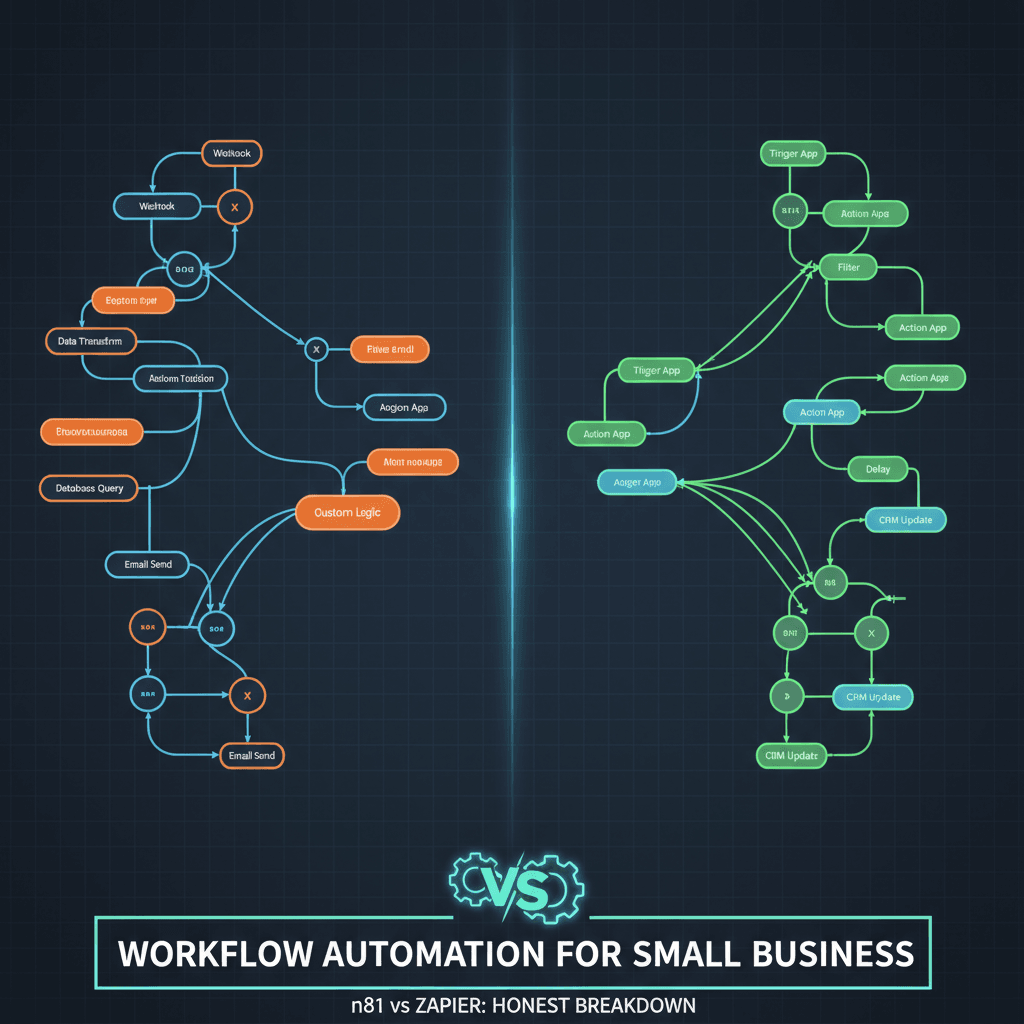
n8n vs Zapier for Small Business: What You’ll Actually Accomplish
When you’re evaluating n8n vs zapier for small business automation, the stakes are real — you’re choosing between saving hundreds of dollars a month or saving dozens of hours of setup time. This honest breakdown walks you through both platforms side by side, giving you a practical framework to choose the right tool for your specific situation. By the end of this tutorial, you’ll know exactly which platform fits your budget, your technical comfort level, and your growth trajectory. Set aside about 15–20 minutes to read this thoroughly — it could save you thousands of dollars in the wrong subscription.
Whether you’re a solo founder automating your first lead-capture workflow or a growing team processing tens of thousands of tasks monthly, the n8n vs zapier for small business decision is one of the most impactful technology choices you’ll make. Let’s dig in with honesty, not hype.
Prerequisites Checklist Before You Choose
Before diving into the n8n vs zapier for small business comparison, make sure you’ve thought through these foundational questions. Check off each item as you consider it:
- ✅ You know approximately how many automation tasks you run (or plan to run) per month
- ✅ You’ve identified at least 2–3 specific workflows you want to automate first
- ✅ You know whether you have (or can hire) someone comfortable with basic JavaScript or Python
- ✅ You’ve set a rough monthly budget for automation tooling
- ✅ You’ve listed the apps and services your business already uses (CRM, email, Slack, etc.)
- ✅ You understand whether you need real-time triggers or scheduled batch processing
- ✅ You’ve considered whether data privacy or on-premise hosting is a requirement for your industry
Tools Referenced in This Breakdown
- n8n — n8n Workflow Automation Services (self-hosted or cloud)
- Zapier — Cloud-only, no-code automation platform with 7,000+ integrations
- Make (formerly Integromat) — A visual middle-ground alternative worth knowing about
- VPS Hosting — Required if you self-host n8n (e.g., DigitalOcean, Hetzner, Linode)
Step 1: Understand the Core Philosophy Difference Between n8n and Zapier
The very first thing you need to internalize when comparing n8n vs zapier for small business is that these two tools were built with fundamentally different philosophies. Zapier was designed from the ground up for non-technical users. Its entire product experience is optimized around speed — you can connect two apps in under five minutes, no coding required. The interface is polished, the documentation is excellent, and the 7,000+ pre-built integrations mean your favorite tools are almost certainly already supported. Zapier maintains all of these integrations for you, so when an app updates its API, Zapier handles the fix. That reliability and convenience is genuinely valuable.
n8n, on the other hand, was built for developers and technical operators who want full control. The “n” in n8n stands for “nodemation” — the platform uses a node-based visual editor where every action, trigger, filter, and transformation is a node you connect on a canvas. You can add JavaScript or Python code nodes anywhere in your workflow, giving you capabilities that Zapier simply cannot match without expensive workarounds. n8n is also open-source, which means you can inspect the code, extend it, and self-host it on your own infrastructure.
For the n8n vs zapier for small business decision, this philosophical difference translates into a practical fork in the road: do you want to move fast and pay more, or invest a bit more setup time and pay dramatically less? As learn more from Zapier’s own blog acknowledges, “For most small businesses, Zapier is the better choice. It’s faster to set up, easier for non-technical users, and comes with thousands of ready-made integrations that are maintained for you.” That’s a refreshingly honest admission — and it’s true for a specific subset of small businesses. Your job is to figure out whether that description fits you.
Expected result after Step 1: You have a clear mental model of which platform aligns with your team’s technical capabilities and tolerance for setup complexity.
Step 2: Map Your Workflow Volume to Real Pricing Numbers
Pricing is where the n8n vs zapier for small business debate gets most heated — and most consequential. Zapier charges per task, where every individual action in a workflow counts as a separate task. So if you have a five-step Zap that runs 1,000 times per month, that’s 5,000 tasks consumed. At scale, this adds up fast. For 100,000 operations per month, Zapier costs approximately $1,200–$1,500 per month. That’s a serious line item for any small business.
n8n’s pricing model is fundamentally different. On the cloud-hosted plan, n8n charges per execution (one full workflow run), not per individual step. The Pro plan runs approximately $50 per month for 10,000 executions of 10-step workflows — meaning those same 100,000 operations would cost a fraction of Zapier’s price. If you go the self-hosted route, your costs drop further: a modest VPS to run n8n costs $5–$20 per month with unlimited executions. No per-task charges. Ever.
Let’s put this in concrete terms. Suppose you’re running a small e-commerce business and you want to automate: new order → update inventory → send confirmation email → notify your fulfillment team → log to spreadsheet. That’s a five-step workflow. If you process 2,000 orders per month on Zapier’s task-based model, you’ve consumed 10,000 tasks. On Zapier’s Professional plan, you’re paying $49/month for 2,000 tasks — meaning you’d need to upgrade to a higher tier immediately. On n8n Cloud, that same workflow costs roughly $20/month. Self-hosted? Under $10/month total.
Zapier’s free tier gives you just 100 tasks and five two-step Zaps — enough to test, but not enough to run a real business. Most teams outgrow Zapier’s starter plan within six months of meaningful automation adoption. Use our Business Process Automation calculator to estimate your true costs before committing.
Expected result after Step 2: You’ve calculated your estimated monthly task volume and mapped it to real dollar figures for both platforms.
Step 3: Evaluate Integration Coverage for Your Specific Stack
One of the most common arguments in favor of Zapier in the n8n vs zapier for small business debate is its integration library. Zapier supports over 7,000 apps — from mainstream tools like Google Workspace, HubSpot, Slack, and Shopify, to niche industry-specific platforms. Every integration is professionally maintained by Zapier’s team, which means fewer broken connections and more reliable workflows.
n8n offers approximately 500–1,500 native integrations, with many contributed and maintained by the open-source community. At first glance, this looks like a significant disadvantage. But here’s the nuance most comparisons miss: n8n includes a powerful HTTP Request node that lets you connect to virtually any REST API, even if there’s no native integration. If a service has an API (and almost every modern SaaS tool does), you can connect it to n8n with some configuration. This isn’t as plug-and-play as Zapier, but it means n8n’s effective integration ceiling is far higher than its native count suggests.
For most small businesses using mainstream tools — Gmail, Stripe, Notion, Airtable, Slack, Typeform — both platforms have you covered. Where Zapier wins decisively is with niche or legacy platforms that have Zapier-specific integrations but no public API. Where n8n wins is in complex, multi-step data transformations between APIs that Zapier’s task-based model would make prohibitively expensive. You can also explore AI Chatbot Solutions that integrate natively with n8n for intelligent workflow branching.
Expected result after Step 3: You’ve verified that your core business tools are supported by your preferred platform, and you understand the workarounds available if they aren’t.
Step 4: Assess Your Team’s Technical Capacity
This step is where many small business owners make their biggest mistake in the n8n vs zapier for small business evaluation — they choose based on price alone without honestly assessing who will actually build and maintain the automations. Let’s be direct: n8n has a steeper learning curve. The node-based canvas is intuitive once you get it, but setting up self-hosting requires comfort with Linux servers, Docker or npm, environment variables, and basic database configuration. Troubleshooting a broken workflow in n8n often means reading logs and understanding JSON data structures.
Zapier, by contrast, is genuinely beginner-friendly. If you can use a spreadsheet and follow a wizard-style interface, you can build functional Zapier workflows. The platform’s error messages are plain-English, the documentation includes video walkthroughs, and their support team is responsive. For a small business owner wearing fifteen hats who just needs email-to-CRM automation to work reliably, Zapier’s simplicity is a real, tangible benefit — not just marketing copy.
The honest framework: if your team includes someone who’s comfortable in a terminal, has basic programming literacy, and enjoys tinkering with systems, n8n is within reach and the cost savings will be substantial. If your team is primarily non-technical and automation is a means to an end rather than a core competency, Zapier’s ease of use is worth the premium — at least until your task volume makes the cost untenable. Many businesses start with Zapier to validate their automation use cases, then migrate to n8n once they’ve proven the ROI and justified hiring or contracting technical help. As learn more from GravityWP confirms, “once you reach tens of thousands of tasks per month, paying Zapier can easily cost several times more than running one well-tuned n8n instance on a modest VPS.”
Expected result after Step 4: You have an honest assessment of your team’s technical capacity and a realistic expectation of setup and maintenance time for each platform.
Step 5: Test a Real Workflow on Each Platform
The best way to break the tie in your n8n vs zapier for small business evaluation is to actually build something. Both platforms offer free tiers — use them. Pick one real workflow your business needs right now: something like “When a new lead fills out our contact form, add them to our CRM and send a personalized follow-up email.” Build it on both platforms and compare the experience directly.
On Zapier, start at zapier.com, click “Create Zap,” and follow the step-by-step wizard. You’ll authenticate your apps, map your data fields using dropdown menus, and test the trigger in real time. The whole process for a two-step Zap typically takes under 10 minutes for a first-timer. Pay attention to where the interface feels limiting — for instance, if you want to add conditional logic (“only send the email if the lead is from a specific country”), you’ll need Zapier’s Filter or Path features, which consume additional tasks.
On n8n, start with the cloud trial at n8n.io or spin up a local instance with Docker. Open the canvas, add a Webhook trigger node, then chain your CRM node and email node. The initial setup takes longer — perhaps 30–45 minutes for a first-timer — but notice what’s possible: you can add a JavaScript node to transform the lead’s name into title case, add a loop to check multiple conditions simultaneously, and branch into different paths without any additional cost. This hands-on test will tell you more than any comparison article, including this one. The tactile experience of building in each environment will clarify which tool actually fits how your brain works.
Expected result after Step 5: You’ve built a test workflow on at least one platform and have a visceral sense of the builder experience, not just a theoretical understanding.
Step 6: Make the Decision Using This Decision Framework
After working through the previous steps, you’re ready to make a clear-headed choice in the n8n vs zapier for small business evaluation. Use this framework to finalize your decision based on the factors that matter most to your situation.
Choose Zapier if: You’re running fewer than 5,000 tasks per month, your team has no technical resources, you need rapid deployment without any infrastructure management, and you’re using primarily mainstream SaaS tools. Zapier’s reliability and ease of use are genuinely worth the premium at this scale. You’ll be up and running in hours, not days, and the time you save not managing infrastructure more than compensates for the higher subscription cost.
Choose n8n if: You’re processing or anticipate processing more than 10,000–20,000 tasks per month, you have access to technical resources (even part-time), you need complex branching logic or custom code in your workflows, you handle sensitive data that requires on-premise hosting, or you want to build sophisticated automations that integrate with AI models and custom APIs. The cost savings at scale are dramatic — the difference between $1,200/month and $20/month for the same workload is not a rounding error; it’s a business decision.
Consider the hybrid approach: Many smart small businesses use Zapier for simple, high-reliability integrations (e.g., connecting a form to a spreadsheet) and n8n for complex, high-volume workflows. This isn’t fence-sitting — it’s pragmatic tool selection. You get Zapier’s reliability for critical simple tasks and n8n’s power and cost-efficiency for everything complex.
The n8n vs zapier for small business decision ultimately comes down to three variables: volume, complexity, and technical capacity. When all three are low, Zapier wins. When any one of them is high, n8n deserves serious consideration.
Expected result after Step 6: You’ve made a clear, justified platform decision with a written rationale you can share with your team or stakeholders.
Testing and Validation: How to Know Your Automation Is Working
Regardless of which platform you choose after your n8n vs zapier for small business evaluation, you need a validation process before trusting any automation with live business data. Here’s how to test properly on both platforms.
On Zapier, use the built-in “Test” button at each step of your Zap. Zapier will pull a sample record and show you exactly what data flows into and out of each action. Check that field mappings are correct — especially watch for empty fields, date format mismatches, and special characters in names. Turn on your Zap in “test mode” first, then monitor the Task History dashboard for the first 24 hours to catch any failures.
On n8n, use the “Execute Node” button to run individual nodes with test data, then use “Execute Workflow” to run the full flow. Examine the output panel on the right side of each node — it shows you the exact JSON data structure passing through. Set up error workflows (n8n’s equivalent of error handlers) that notify you via Slack or email when a workflow fails. Monitor your execution log regularly in the first week.
For both platforms, run at least 10–20 test executions with realistic data before going live. Include edge cases: what happens when a required field is blank? What happens when an API is temporarily down? Robust testing now prevents embarrassing failures — like sending a customer email with “Hello, [FIRST_NAME]” instead of their actual name.
Troubleshooting Common Issues
| Issue | Platform | Likely Cause | Solution |
|---|---|---|---|
| Zap turns off unexpectedly | Zapier | Consecutive errors exceeded threshold (usually 3–5 failures) | Check Task History for error messages, fix the root cause, then re-enable the Zap manually |
| Workflow not triggering | n8n | Webhook URL changed after update, or workflow is deactivated | Re-copy the webhook URL and update it in the source app; confirm workflow is set to Active |
| Field mapping shows undefined | Both | Test data used during setup doesn’t include that field | Use a real record with all fields populated to re-map; re-test with complete data |
| Task count spiking unexpectedly | Zapier | Polling trigger running too frequently or catching duplicate records | Add a filter step to deduplicate; consider switching to a webhook trigger if available |
| n8n self-hosted goes offline | n8n | VPS ran out of memory or disk space; process crashed | Set up PM2 or systemd to auto-restart n8n; add memory/disk monitoring alerts |
| Authentication expires mid-workflow | Both | OAuth token expired; API key rotated | Re-authenticate the affected app connection; set a calendar reminder to refresh tokens quarterly |
| Data format mismatch between apps | Both | Date formats, phone number formats, or currency formats differ between source and destination | Add a transformation step (JavaScript node in n8n; Formatter by Zapier in Zapier) to normalize data |
ROI and Time Savings: The Real Numbers Behind n8n vs Zapier for Small Business
Let’s talk about the return on investment, because the n8n vs zapier for small business choice isn’t just about software costs — it’s about the total value of automation to your business. Consider a practical example: a small marketing agency that manually processes 500 new leads per month, each requiring a CRM entry, a welcome email, a Slack notification, and a task creation in their project management tool. That’s four actions per lead, 2,000 manual actions per month. At even a conservative two minutes per action, that’s 4,000 minutes — over 66 hours of manual work per month.
Automate that workflow and you recover 66 hours monthly. At a fully-loaded employee cost of $25/hour, that’s $1,650/month in recovered labor. Zapier at the required task volume might cost $79–$149/month. n8n self-hosted costs $10–$20/month. Either way, the ROI is extraordinary. But the difference in platform cost — up to $1,480/month at higher volumes — is itself significant enough to fund a part-time hire.
Beyond direct cost savings, consider the error reduction value. Manual data entry carries an average error rate of 1–4%. For a business processing 500 leads monthly, that could mean 5–20 misrouted leads, missed follow-ups, or CRM corruption events per month. Automation reduces this to near zero. The n8n vs zapier for small business decision, when made correctly, doesn’t just save money — it makes your business more reliable and scalable.
Next Steps and Conclusion
You now have a complete, honest framework for navigating the n8n vs zapier for small business decision. Here’s your action plan for the next seven days:
- Day 1–2: List your top five automation use cases and estimate monthly task volume for each
- Day 3: Sign up for Zapier’s free tier and build your highest-priority workflow
- Day 4: Sign up for n8n Cloud trial and build the same workflow
- Day 5: Compare the builder experience, integration availability, and your honest comfort level
- Day 6: Run the pricing calculation for your projected 12-month task volume
- Day 7: Make your decision, commit to one platform, and start systematically automating your highest-value workflows
Remember: the best automation platform is the one your team will actually use and maintain. A perfectly configured n8n instance that nobody understands is less valuable than a slightly more expensive Zapier setup that runs reliably without heroic effort. Conversely, paying $1,200/month for Zapier when n8n could handle the same workload for $20 is a luxury most small businesses can’t sustain as they scale.
The n8n vs zapier for small business debate doesn’t have a universal winner — it has a winner for your specific situation. Use the framework in this guide, do the hands-on testing, run the real numbers, and make the decision with confidence. If you’d like expert help designing, building, or migrating your automation stack, our team at Orchient specializes in exactly this — from initial workflow design to full-scale n8n Workflow Automation Services and beyond.
The n8n vs zapier for small business choice you make today will shape how efficiently your business operates for years to come. Choose deliberately, test thoroughly, and automate boldly.
Your Team Is Drowning In Repetitive Tasks
We automate them with AI so you can focus on growth